> For the complete documentation index, see [llms.txt](https://docs.flowlity.com/llms.txt). Markdown versions of documentation pages are available by appending `.md` to page URLs; this page is available as [Markdown](https://docs.flowlity.com/product-updates/changelog/2026.md).
# 2026
{% updates format="full" %}
{% update date="2026-10-16" %}
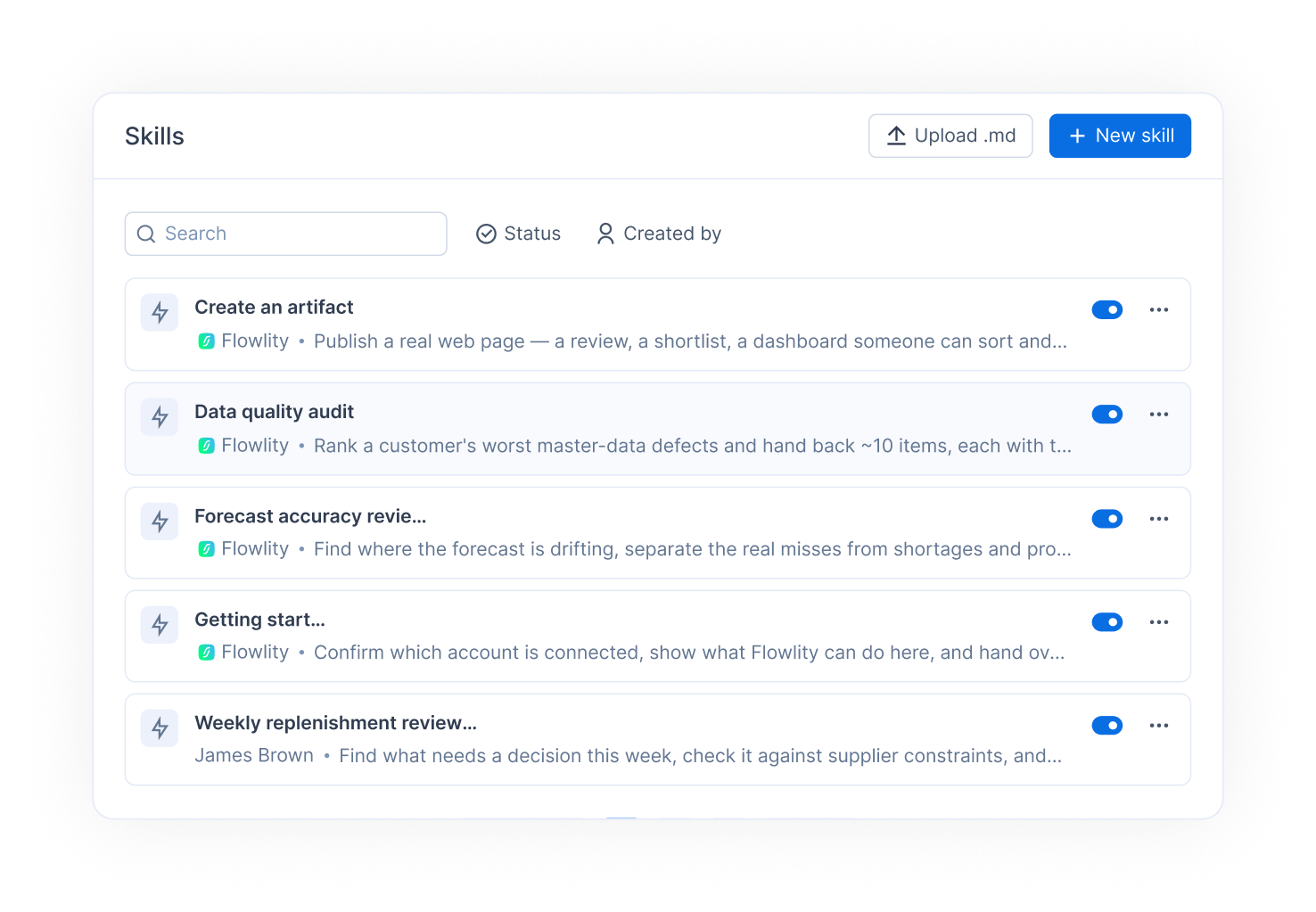
## 🤖 Co-planner: manage your custom skills and saved artifacts from the app
The Co-planner now has its own page in the app, with a sidebar to start a new chat or pick up a recent one, and two new areas to manage what your team builds with it.
**Skills**: a skill is a written procedure the Co-planner follows for a recurring job, such as a forecast audit. Browse the skills provided by Flowlity, and create, edit, upload, download or delete your company's own skills.
**Artifacts**: the pages the Co-planner builds for you in a chat (an analysis, a review, a dashboard) are saved and gathered in one list. Search them, filter them, download them or share their link with others.
An artifact created during a chat now shows as a card in the conversation and opens directly in the app. Saved artifacts also gain a Refresh button and a date filter, so you reload them with your latest data instead of asking the Co-planner again.
{% hint style="info" %}
To enable the Co-planner for your company, reach out to your Customer Success or Account Manager.
{% endhint %}
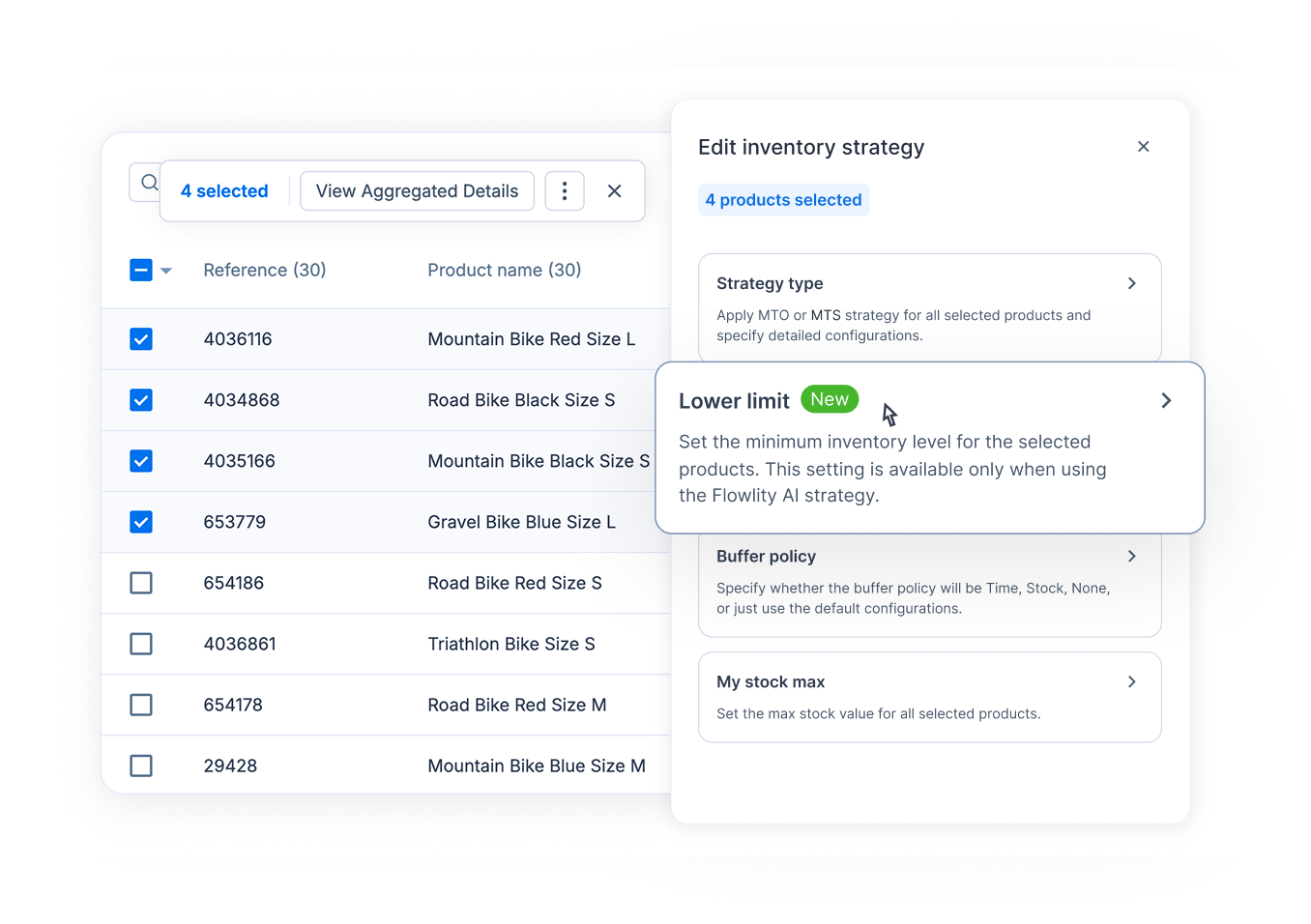
## 📈 Inventory strategy: set the lower limit on its own
The lower limit is now a setting of its own, separate from the stock strategy and the service level. You can enter it on many products at once without applying the same service level to all of them, and updating a service level no longer risks erasing a lower limit you had set.
#### 🆕 Other updates
**Co-planner**
* Edit an existing promotion directly from the chat.
* Find a product across all the sites you have access to, not only the one currently open.
* Ask the Co-planner about stock-out analysis, with new stock-out indicators.
**Demand & Planning**
* Group the product list by product across sites, to compare the forecast accuracy of the same product from one site to another.
* Stock alerts and Demand alerts are now two separate columns in the product list.
* A new Reorder point value attribute is available in the product list.
* The Zero stock days KPI gets a current month option.
**Orders & Supply**
* Hover an order quantity to see it in every unit of measure enabled for the product.
* Supplier product name and supplier reference are available as columns in order lines views.
* The Exported to SFTP column now appears in the default Validated view.
* When changing lead times in bulk, the supplier list can be filtered to main suppliers only.
**Other**
* Promotions: duplicate an existing promotion to reuse it for the next sales period.
* Tactical: Ctrl+click (Cmd+click on Mac) on a product opens its Planning in a new tab.
* Supplier portal: suppliers can now download past customer consumption from the supplier portal, not only future orders.
**Bug fixes**
* Fixed sorting in grouped lists: groups now follow the order of their subtotals.
* Fixed next / previous in the product details jumping out of order in grouped and sorted lists.
* Fixed the Planning chart not converting to € or another unit when several products are displayed together.
* Fixed the Tactical "Edited only" filter showing too many products.
{% endupdate %}
{% update date="2026-09-25" %}
## 📈 Demand & Planning: group by category, analyze subtotals
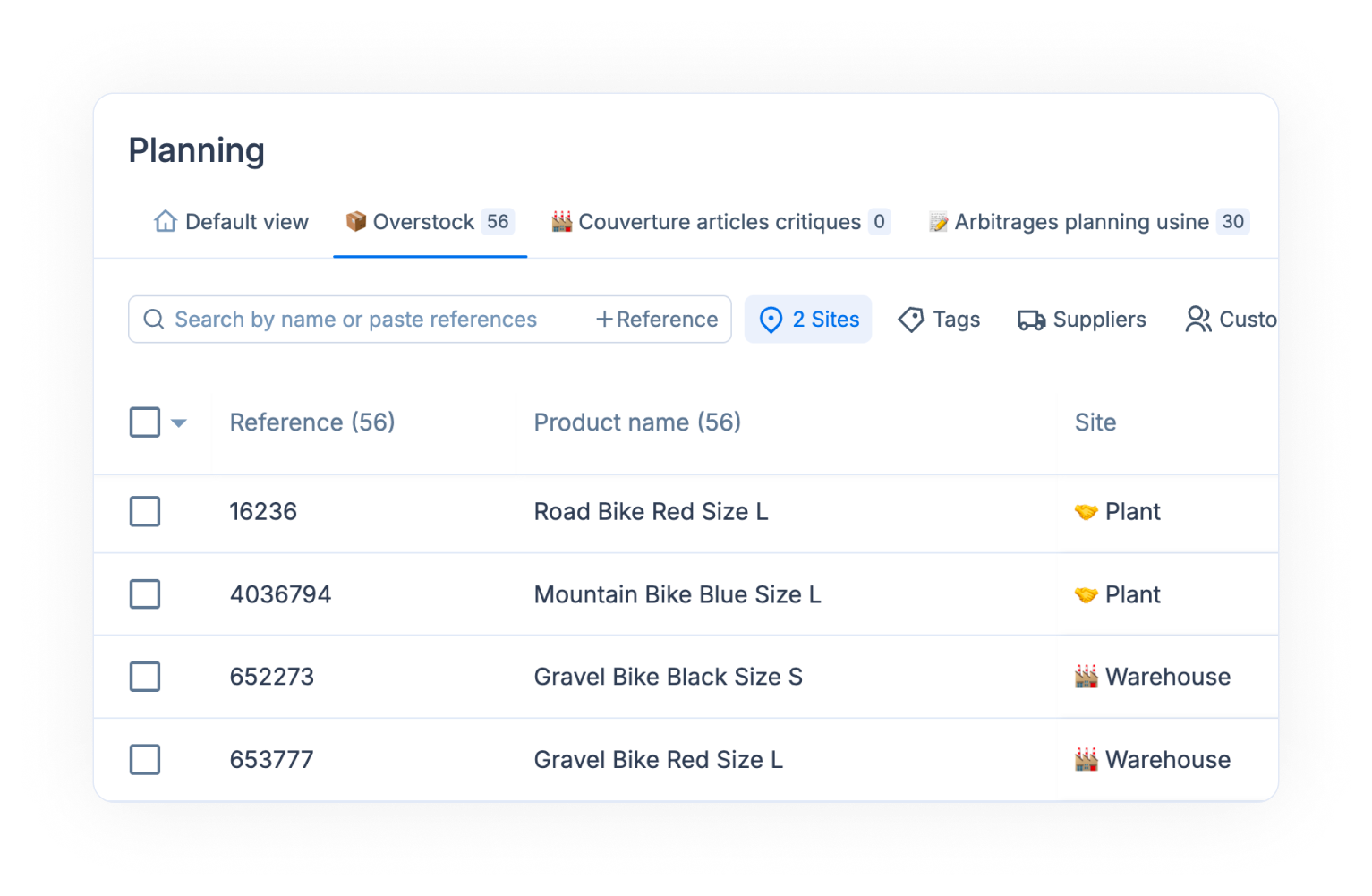
Product lists in Demand and Planning now answer the questions that used to need an Excel pivot table: which family weighs the most, which supplier carries the most alerts, which customer drives the forecast.
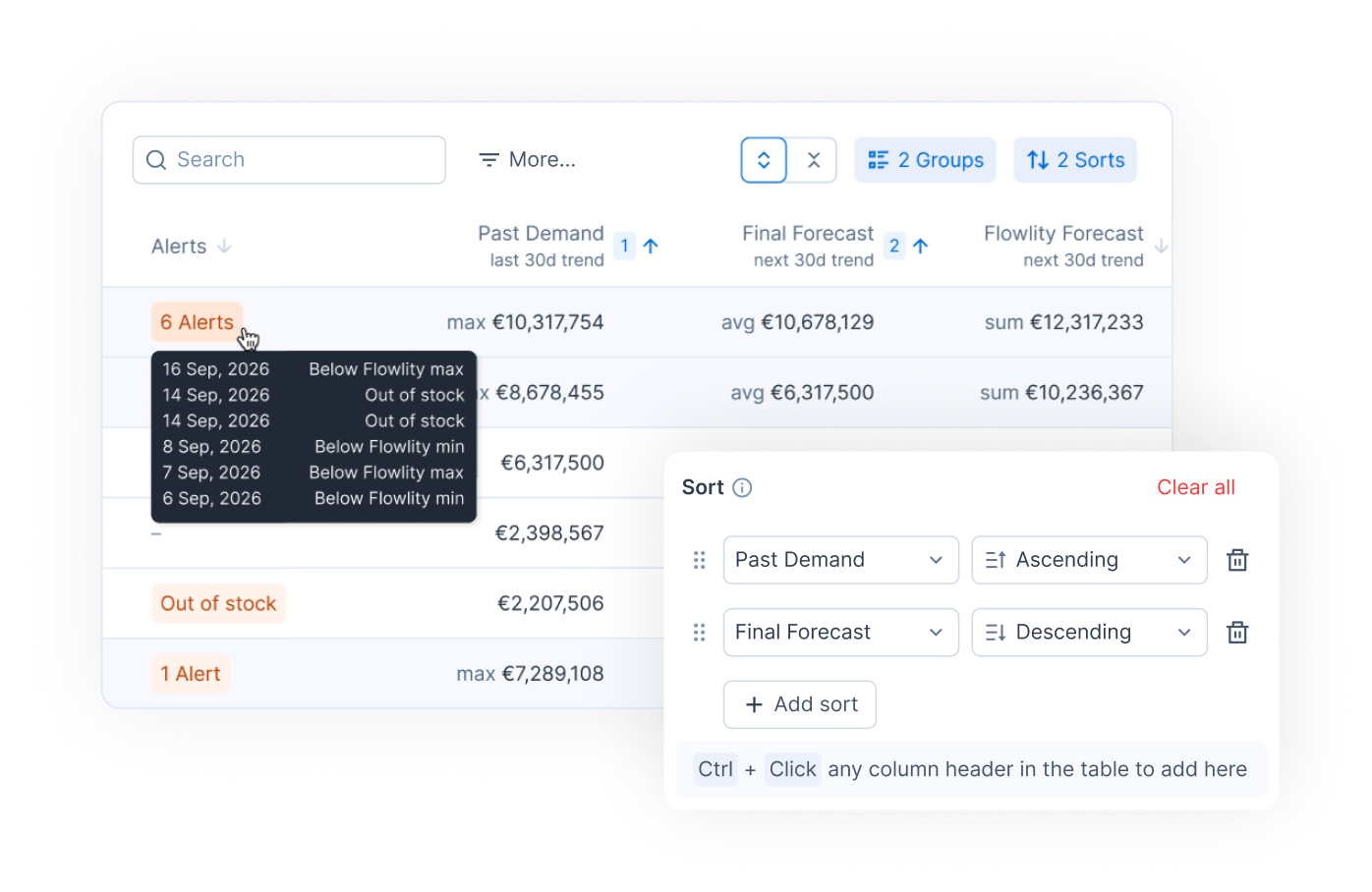
**Group by with subtotals**: group the list by tag category, supplier, customer, or site. Each group shows its subtotal, and a grand total sits at the bottom of the list. Depending on the column, subtotals show the sum, average, count, or whatever makes sense for the analysis.
**Work at group level**: tick a whole group with one checkbox to apply bulk actions to it, and hover a group header to see how many alerts it contains, so you triage suppliers or families before drilling into products. Sorting and grouping are saved in your custom views, like filters and columns.
**Multi-column sorting**: hold Ctrl (Cmd on Mac) while clicking a column header to stack several sort criteria. A priority badge on each sorted column shows the order in which they apply.
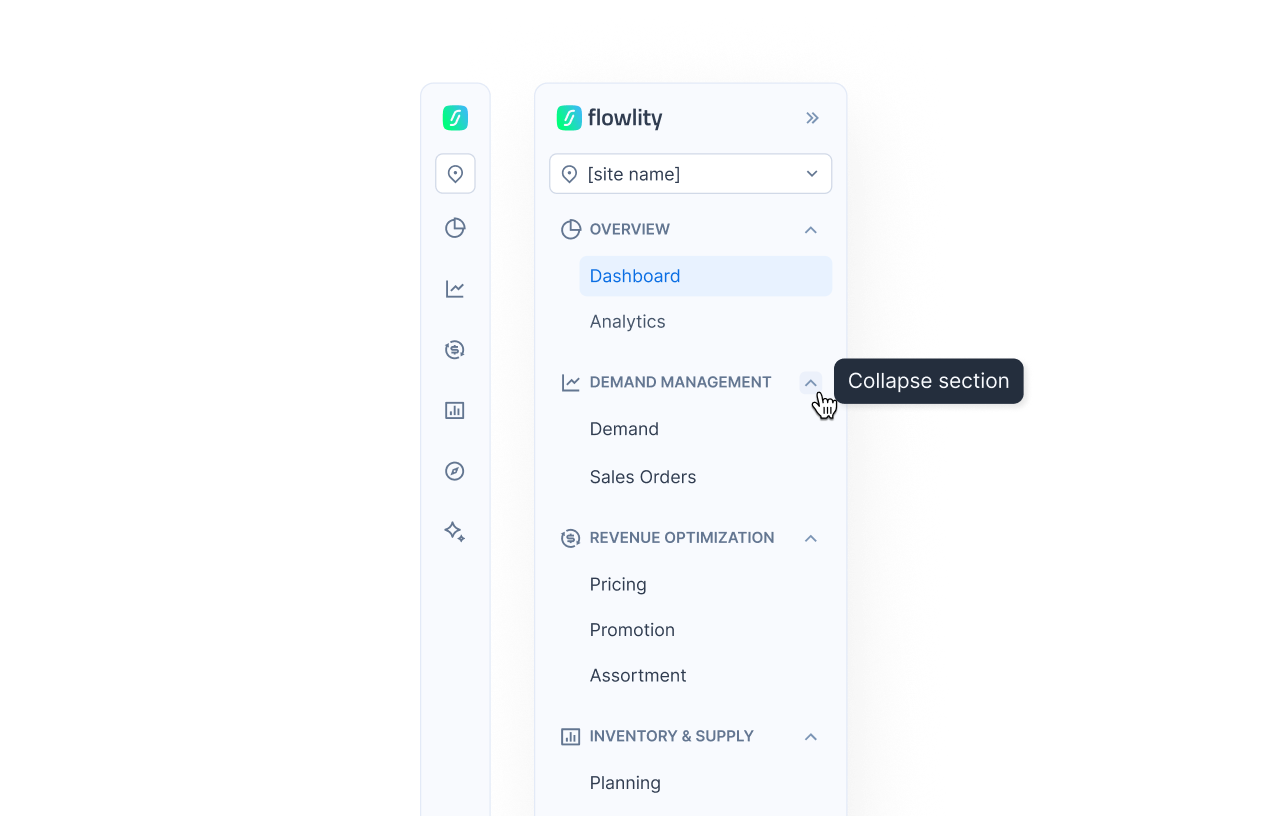
## 🧭 A new navigation sidebar, organized by workflow
The sidebar is reorganized into six sections that follow the way you plan, so every module is easier to find as the app grows.
**Sections by workflow**: Overview (Dashboard, Analytics), Demand management (Demand, Sales orders), Revenue optimization (Pricing, Promotions, Assortment), Inventory & supply (Planning, Capacity, Supply orders), Strategy (Tactical), and AI & automations (Automations, Agents, Co-planner). You only see the modules activated on your site.
**Collapsible sections**: expand only the sections you use, and the sidebar remembers your layout.
**Documentation and changelog** now sit in your profile menu, at the bottom of the sidebar.
## 📋 Orders: totals for a selection of order lines
Select several order lines and the action bar now shows the total value of the selection and its total quantity in each unit of measure, so you know what a batch represents before you validate or download it.
## 🪩 Demand: edit My Forecast per customer directly from the product details view
When the customer axis is displayed on a product in the Demand module, you can now edit the My Forecast line of each customer directly from the product details view, instead of switching to the Customer tab and opening every product and customer pair one by one. Saving behaves exactly like an edit made from the Customer tab: same recompute, same cascade to the final forecast.
#### 🆕 Other updates
**Demand & Planning**
* Purchase price and sales price are now available as columns in product lists, sortable and filterable, so a view can be scoped by product value and reused as an automation scope.
* Numeric filters gain an "is empty" operator to find products with a missing value.
* A new Expert models column shows which expert model is applied to each product, and the list can be filtered by model.
**Tactical**
* Advanced tag filtering (combining tags with "and" / "or" logic) is now available in the Tactical module, as in Demand and Planning.
**Performance**
* Every page loads faster: data sent to the browser is now compressed, up to 20 times smaller.
* Custom views load and save much faster on multi-site setups.
* The tag filter opens instantly, even on sites with tens of thousands of tags.
**Bug fixes**
* Fixed stock coverage displayed with decimals instead of whole days in order lines.
* Fixed the multi-site export in Download data failing when several sites are selected.
* Fixed forecast-event bands darkening the chart when many events overlap.
{% endupdate %}
{% update date="2026-09-11" %}
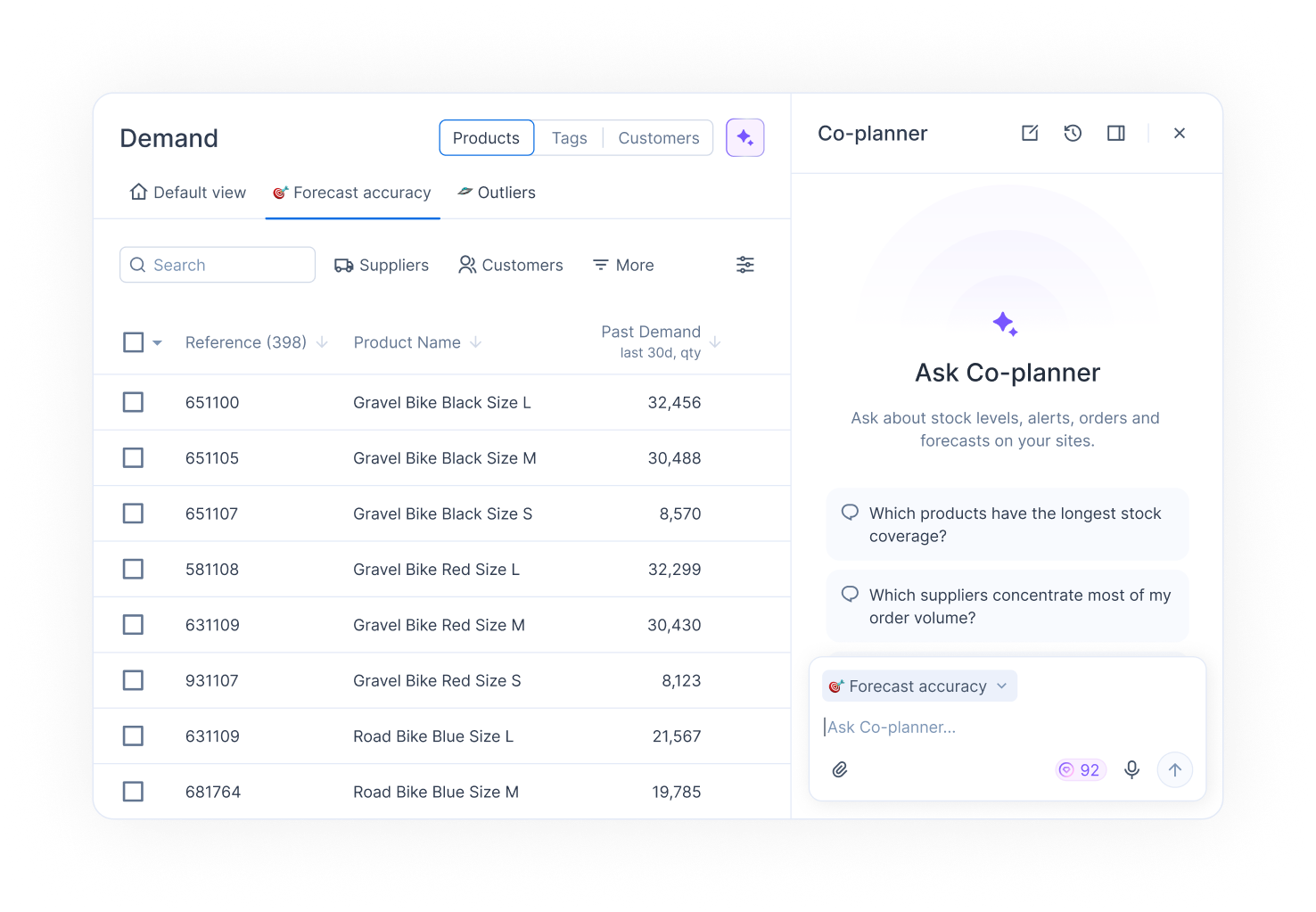
## 🤖 Co-planner: your AI assistant, now accessible in the app
The Co-planner is Flowlity's conversational assistant: ask a question about your demand, orders, inventory, or forecasts in plain language and get an answer built from your own data, always one click away, directly in the app.
**One button on every page**: the Co-planner opens from a button in the header of each page.
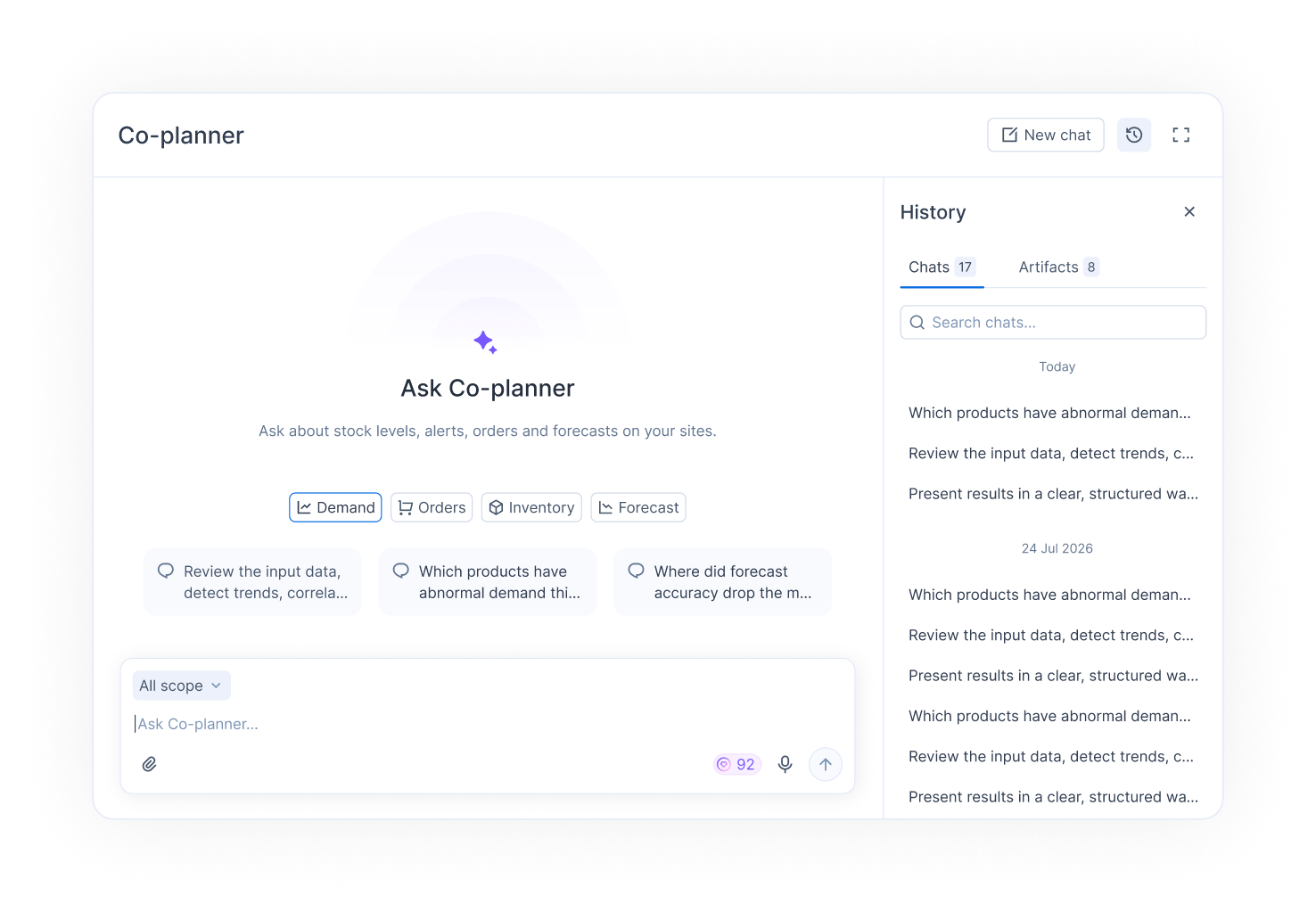
**Floating, docked, or full page**: choose how the chat is displayed. Float it as a window you can drag and resize, dock it to the side so the page reflows next to it, or open it as a full page.
**Chat history**: every conversation is saved. Browse past chats, search them by keyword, resume any of them where you left off, or delete the ones you no longer need.
*If you want access to the 2-week trial of the Flowlity Co-planner, reach out to your Customer Success Manager.*
## 📋 Orders: new columns to review lines faster and manage warehouse allocation
Order lines gain new attributes so you can check an order without leaving the module.
**Product KPIs on order lines**: *Past demand, last 12 months* and *Firm orders, next 12 months* are now available as columns in the order detail and in the order lines list, the same figures you already see in Demand and Planning. Order lines can also be sorted by supplier, making it easy to spot orders from the same supplier and merge them.
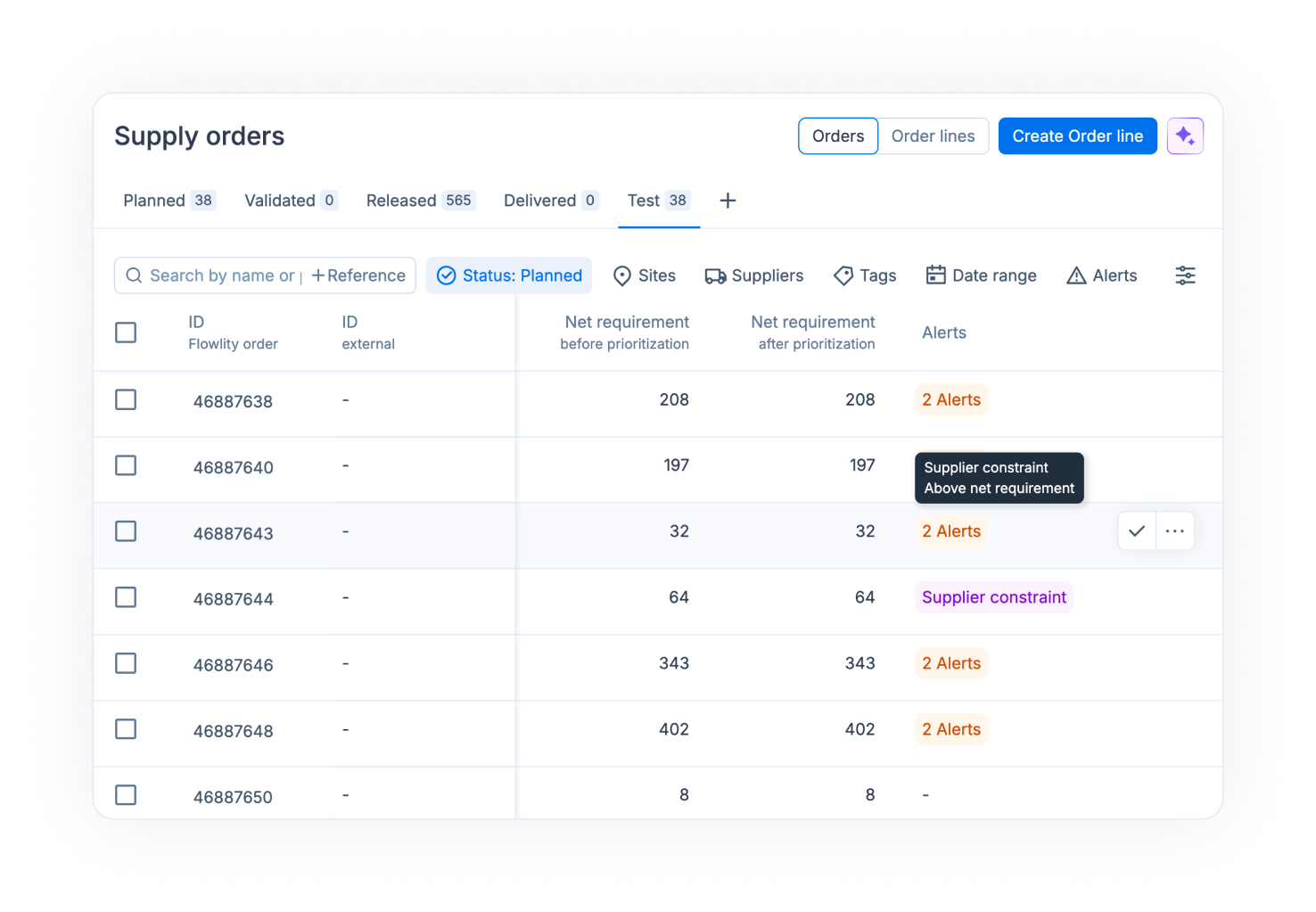
**Warehouse-constrained allocation**: when a central warehouse cannot serve every store, new columns show the *Net requirement before prioritization* and the *Net requirement after prioritization*, so you know which stores are short-served and why.
*The allocation columns apply to sites configured with warehouse-prioritized supply. Reach out to your Customer Success or Account Manager to set it up.*
#### 🆕 Other updates
**Demand & Planning**
* When creating a custom KPI in the product list, you can now choose which price or unit value it uses: purchase price, sales price, stock valuation price, or any product unit.
* The *Lower limit min* column can now be filtered.
* The columns drawer now has a search field, so you find a column in a long list in seconds.
**Supply**
* Family minimum order quantities can now be entered directly in the app from the Tags screen, per product family and per supplier, when this information is not available in your ERP. *Reach out to your Customer Success to activate the family constraint on your site.*
**Bug fixes**
* Fixed unit-specific columns showing empty values and sorting all at once instead of the selected column.
* Fixed automation schedules always displayed in Central European Time instead of the site's timezone.
{% endupdate %}
{% update date="2026-08-21" %}
## 🏷️ Promotions module: manage all your promotions and forecast events
The Promotions module is now available to all users. It is the place to manage every event that shapes your demand: create new promotions and forecast events, and edit them at any time.
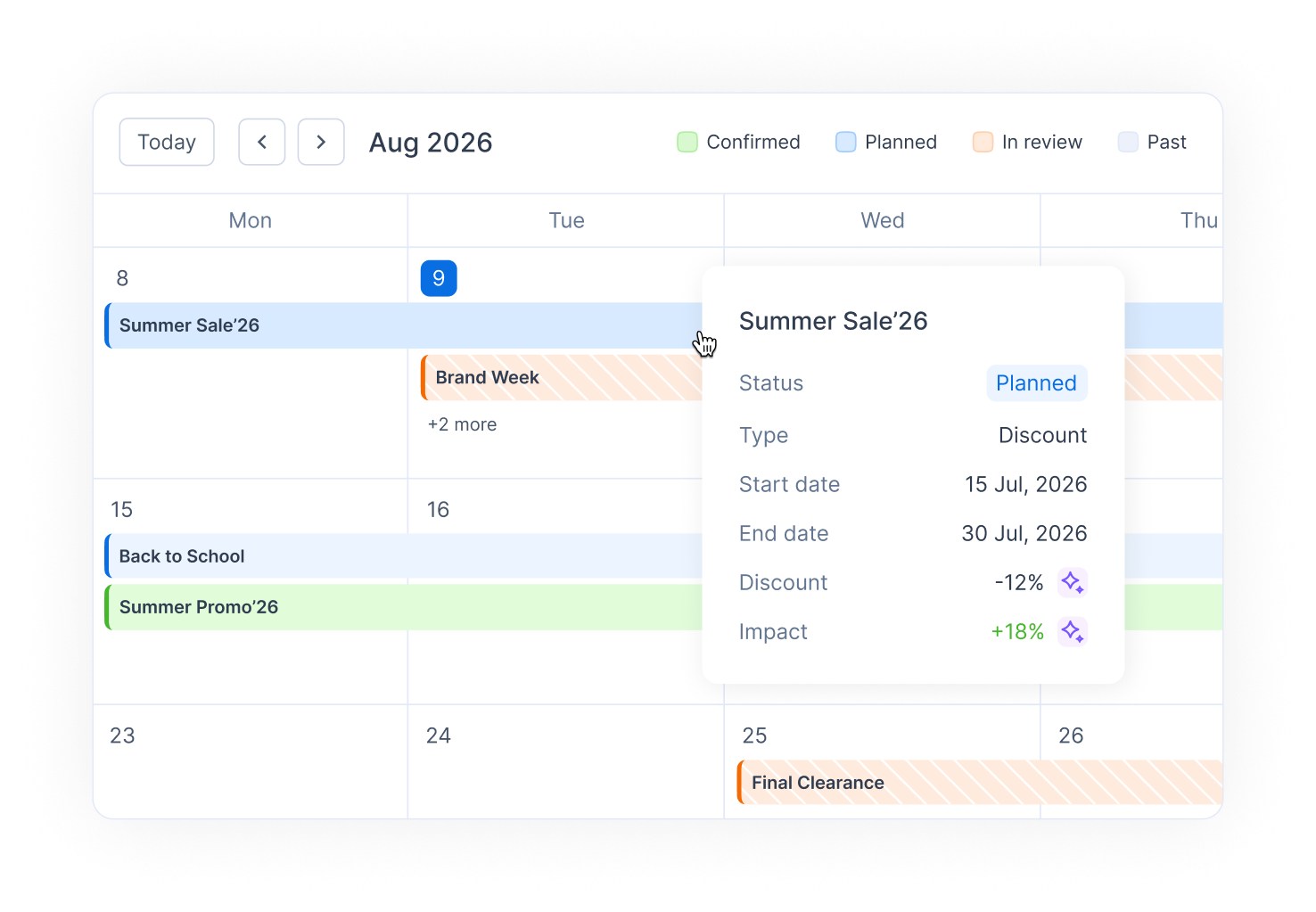
**List or calendar view**: browse your events in the list, or switch to the new calendar view to see them on a monthly grid, making overlaps and busy periods visible at a glance.
**Event types**: categorize each event by the kind of campaign it is: discount, catalog, featured placement, or other. The type appears in the promotions list and in the detailed view, so you always know what is driving an uplift.
**Manual uplift**: enter the expected uplift yourself (+X% on the products in scope). The impact remains editable at any time.
*The Promotions module is now included for all users without the enhanced AI capabilities (pricing elasticity model to let Flowlity calculate the event impact, and AI promotion recommendations). The Pricing module is also not included for all users. If you need them, please reach out to your Customer Success or Account Manager, or contact* [*support@flowlity.com*](mailto:support@flowlity.com)*.*
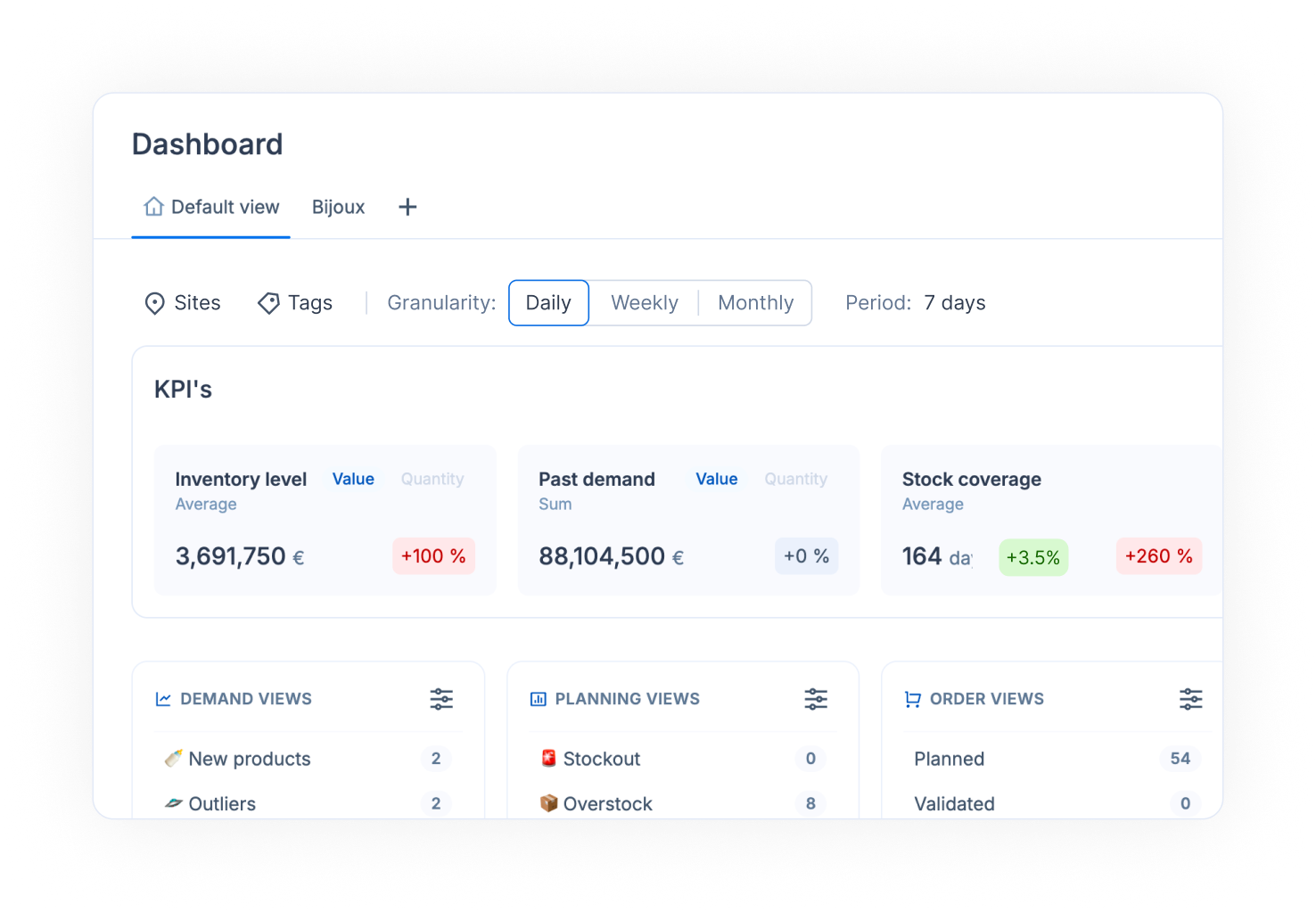
## 📊 Dashboard: read your KPIs daily, weekly, or monthly
The Dashboard is no longer monthly only: a new switcher lets you read every KPI card and chart at daily, weekly, or monthly granularity. Short replenishment cycles, such as store replenishment, become actionable: a stock-out risk building up over a few days is visible immediately instead of being averaged out over the month.
A single period selector now drives both the KPI cards and the charts, and charts can now display up to 24 months.
#### 🆕 Other updates
**Orders**
* Order lines can now be selected directly inside an order to validate, download, or delete them in bulk.
* You can now change the delivery date of a whole selection of order lines at once.
**Demand**
* Forecast events and promotions can now be imported in bulk from a CSV file, instead of being created one by one. You will find the CSV import in the Promotion module.
**Performance**
* Planning exports are now much faster, especially on sites with large catalogs.
**Bug fixes**
* Fixed the "Open in Planning" link in the Capacity module not opening the product details.
* Fixed the Planning chart not updating immediately after orders are merged.
* Fixed the impact not being filled in on the forecast events view.
{% endupdate %}
{% update date="2026-08-04" %}
## 📋 Order line exports: choose exactly the columns you need
When you export order lines, you can now pick which columns to include instead of always exporting the full set. Set the columns once to match the file you send to your suppliers or load into your ERP, and export it that way every time.
Don't worry, if you want to continue to export the standard order file, you still have that option.
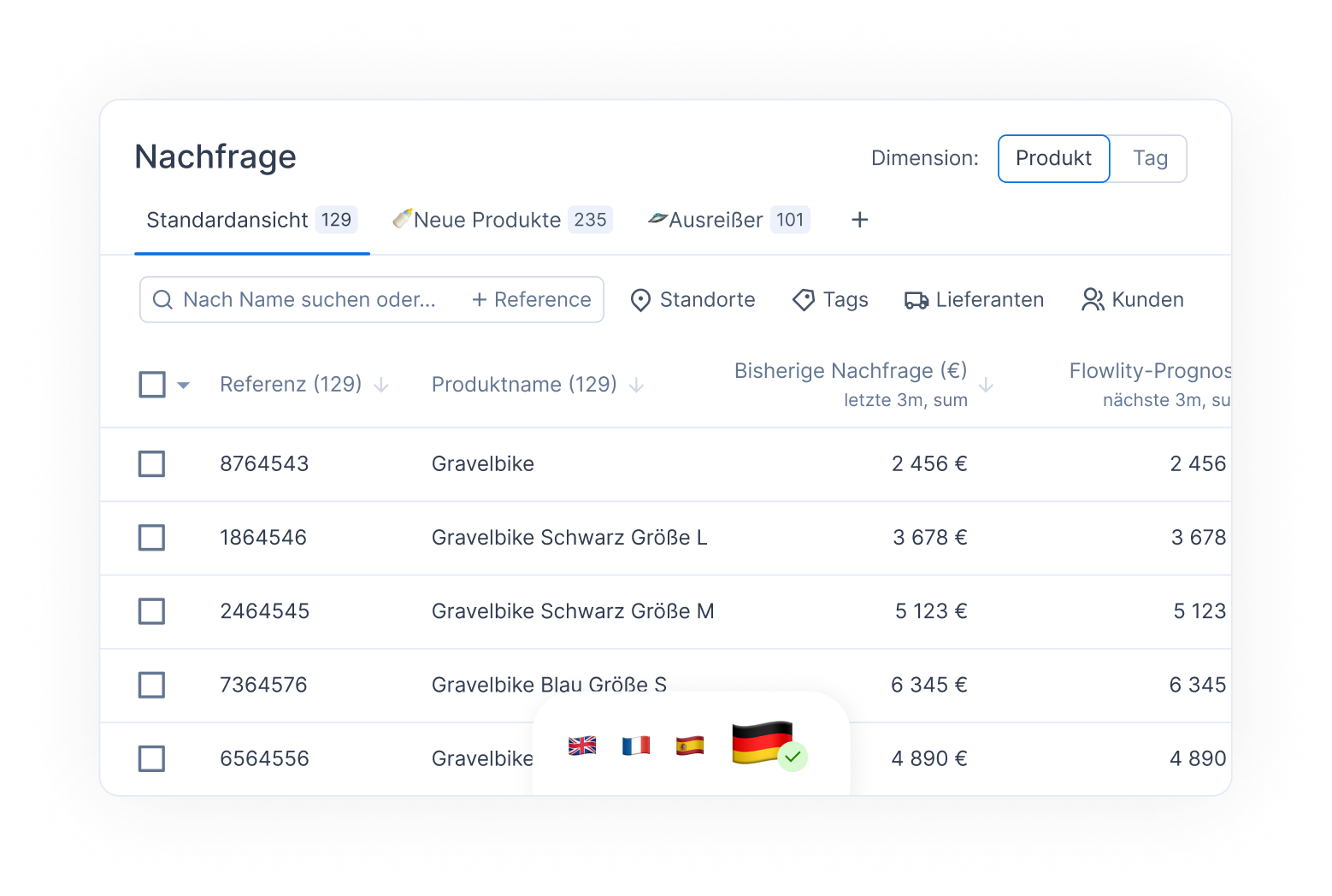
## 🇩🇪 Flowlity now speaks German
The whole interface is available in German: menus, module names, table columns, filters, and messages. Users can switch to German from their profile settings, alongside English, French, and Spanish.
## 🔔 Alerts: a clearer design, and a warning when calculations are delayed
Alerts across the app have been redesigned so their severity and their meaning are easier to read at a glance.
When a calculation is delayed or has failed, the app now says so explicitly. You know straight away that the figures on screen are not the latest ones, instead of finding out later.
#### 🆕 Other updates
**General**
* Week numbers now appear in every date picker across the app.
* The Orders page loads noticeably faster.
**Bug fixes**
* Fixed being unable to change the date of a forecast event in the past.
* Fixed the *Main supplier* column coming out empty in exports.
* Fixed Stock Coverage showing different values in the Orders and Planning modules at the end of the horizon.
* Fixed Automations switching products to the "No replenishment" strategy without the change being applied.
{% endupdate %}
{% update date="2026-07-22" %}
## 🏪 New module: Assortment, manage which products are carried in which stores
The new **Assortment module** gives you a dedicated space to manage your product assortment: which products are available for ordering in which stores or warehouses. It replaces spreadsheet-based assortment management with two complementary views, a **Tag view** to manage product families across your sites and a **Product view** to work product by product.
**Typology-based assortment**: assign a typology (for example Basic, Medium, Large) to each site for a product family, and the products in that family are automatically activated in the matching stores. Bulk actions let you assign typologies to many families at once.
**Powerful filtering and custom views**: filter by site, tag category, or typology directly from the column headers, show or hide columns, and save your setup as custom views. From any product family, hover the product count to preview its products and jump to the Product view pre-filtered on that family.
**Exceptions and bulk actions**: manually activate or deactivate specific products, on all sites or on a selection of sites, and track all manual overrides in a dedicated Exceptions tab. Product and tag lists can also be exported to Excel or CSV.
*If you'd like to enable the Assortment module for your company, please reach out to your Customer Success or Account Manager.*
## 🔍 Advanced tag filtering: combine tags with "and" / "or" logic
Filtering products by tags is now much more precise. You can combine tags across categories with both union ("or") and intersection ("and") logic, for example: products that are (Blue or Red) and (Large). This makes it possible to build exactly the product selection you need, even with complex tag structures.
#### 🆕 Other updates
**Configuration**
* The Planning file downloaded from the Configuration page now distinguishes planned orders from firm orders.
* Capacity units can now be created on a tag directly from the app.
* The app can now be configured to display any currency, beyond EUR and USD.
**KPIs**
* New "estimated lost sales" KPI at product level, in quantity and in value, to spot products losing significant sales due to stockouts.
**Others**
* **Co-Planner**: Forecast events can now be created directly through the Co-Planner assistant.
* **Pricing**: A new "Price position" attribute is available in the product list and filters, showing whether a product is optimally priced.
* **Demand**: New low-demand detection in the Demand anomaly agent, spotting shortages where stock was held back for other channels without ever hitting zero. Available as a configuration option.
**Bug fixes**
* Fixed the Overstock KPI showing incorrect overstock quantities.
* Fixed slow saving when updating quantities on several products at once.
* Fixed the "Exported to SFTP" column not appearing when a view mixes validated and non-validated orders.
* Made it clearer which view is selected when it is hidden behind the "X more" button.
{% endupdate %}
{% update date="2026-06-29" %}
## 📦 Similar product stock: see old product stock before you order
When a new product replaces an older one (for example a new season or a new yearly version), you can now see the remaining stock of the old, similar product directly in the Planning view. This helps you avoid over-ordering while previous stock is still available, all without switching screens.
*Showing similar product stock relies on similar-product links being set up for your products. If you'd like help configuring them, please reach out to your Customer Success or Account Manager.*
## 💰 New KPI *Sales under promotion*: track your promotional intensity at a glance
The Pricing module now includes a dynamic KPI that shows the share of your revenue generated under promotion. It gives you a single, always-current figure to see how promotional your sales are and to steer that intensity toward your goal.
**Actual vs target**: the KPI shows your current share of sales under promotion next to the target you set, so progress is visible at a glance.
Use it to keep promotional spend under control: spot when you are discounting too much, and adjust your campaigns to protect margin while still hitting your commercial objectives.
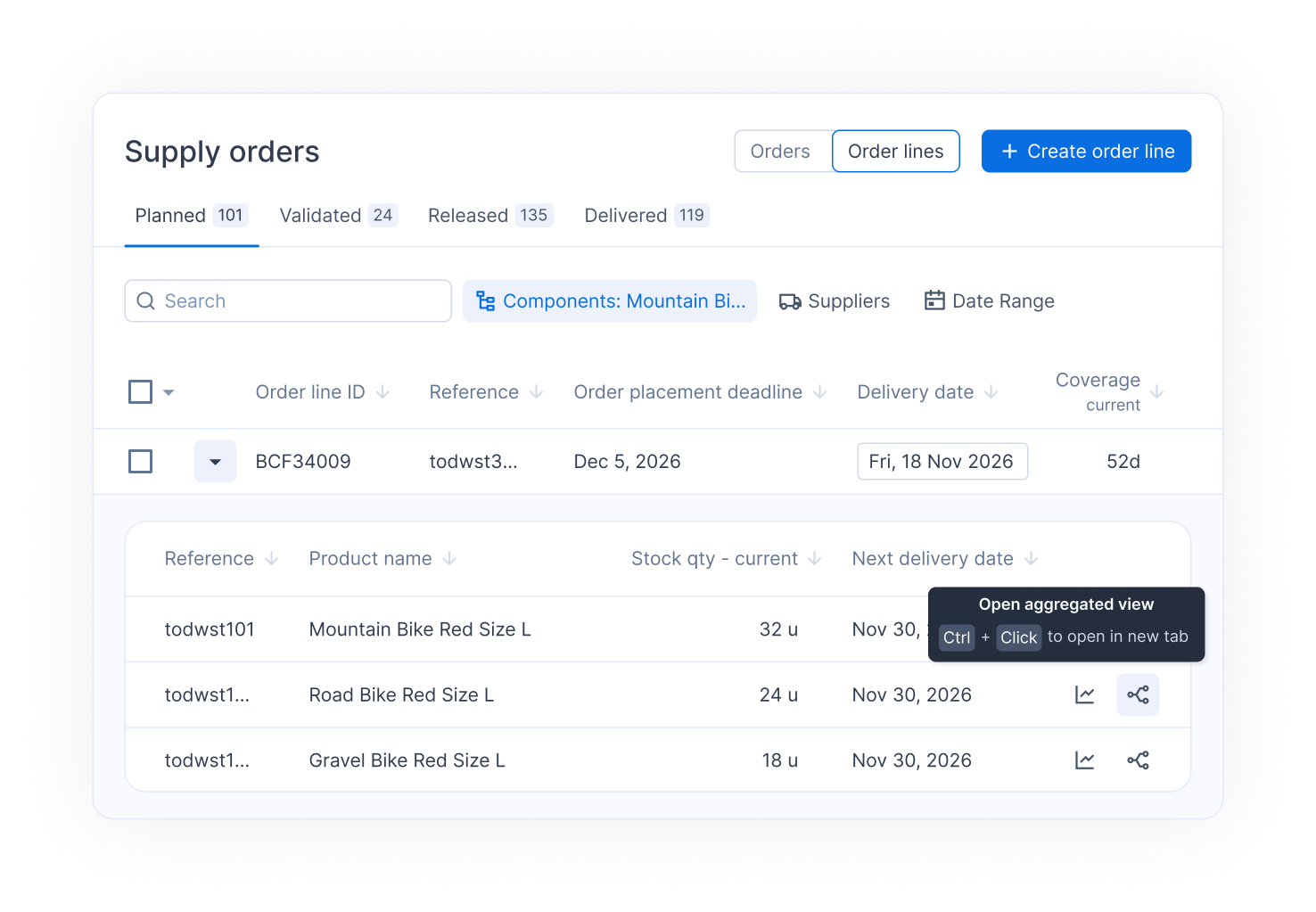
## 📋 Open all finished goods: go from a component to all its finished goods in one click
When you review a component on an order line, you can now open the aggregated Planning view of all of its parent products in a single click. No more opening each parent in its own tab: you see availability across every parent at once and can adjust the plan to match the component's constraints.
## 🚚 Supplier lead time in settings: edit it without leaving the panel
Lead time is now available as a supplier constraint that you can edit directly from the Supplier settings. Keeping your supply parameters up to date is faster, with no need to open each product one by one.
#### 🆕 Other updates
**Demand and Planning**
* Past demand now displays as a line, with previous years shown as thin bars, making the demand graph easier to read.
* Lower-limit min and My stock min can now be added as displayable columns in the Planning and Demand product lists.
* New overstock indicators are available in the Demand and Planning views as KPIs to be added as a column, showing the degree of overstock compared to My Stock Max.
* A new "No replenishment" stock strategy is available to be configured directly from the app. Those items still have a forecast but no replenishment order will be proposed.
* You can now export the KPI list in the Tag view.
* You can now set delivery days per site directly in the app.
**General**
* Dashboard filter selections can now be saved as a custom view.
* Product lists now load noticeably faster, especially the default view.
**Bug fixes**
* You can now filter the dashboard on tags that are not attached to a tag category.
{% endupdate %}
{% update date="2026-06-17" %}
## 🪩 Demand history overlays: compare your forecast with past years
You can now overlay past demand from previous years (N-1, N-2) directly on the Demand chart. This makes it easy to check how the current forecast aligns with what actually happened in previous years, validate seasonality, and spot unusual patterns at a glance.
**Year-over-year comparison**: select which past years to display and their curves appear on the same timeline as your current demand and forecast.
If you prefer the old display, you can hide the overlay by clicking on the legend on top of the graph for each data point.
## 📈 Stock simulation: run "what if" scenarios on your stock levels
Sometimes the stock recorded in your system is not the stock you can really count on: part of it may be damaged, reserved, or blocked in quality control. You can now adjust the stock level of any product directly in Planning and instantly simulate the impact.
**Adjust the stock level**: a new stock adjustment line in the Planning table lets you enter a different stock quantity, without touching your real data.
**Simulate the full impact**: Flowlity recomputes the projected inventory and the order recommendations based on the adjusted value, so you can click on Optimize to immediately see whether you need to order more, or earlier.
*Stock adjustments will automatically be deleted during the next stock integration.*
With this change, the Firm orders line becomes read-only: stock adjustments are now the single place to run stock simulations, keeping your firm data clean.
## 📦 Multi-unit display: switch units in many more places
Last month we introduced multi-unit display across the app. This release goes further: you can now actively switch the display unit in the places where you work every day.
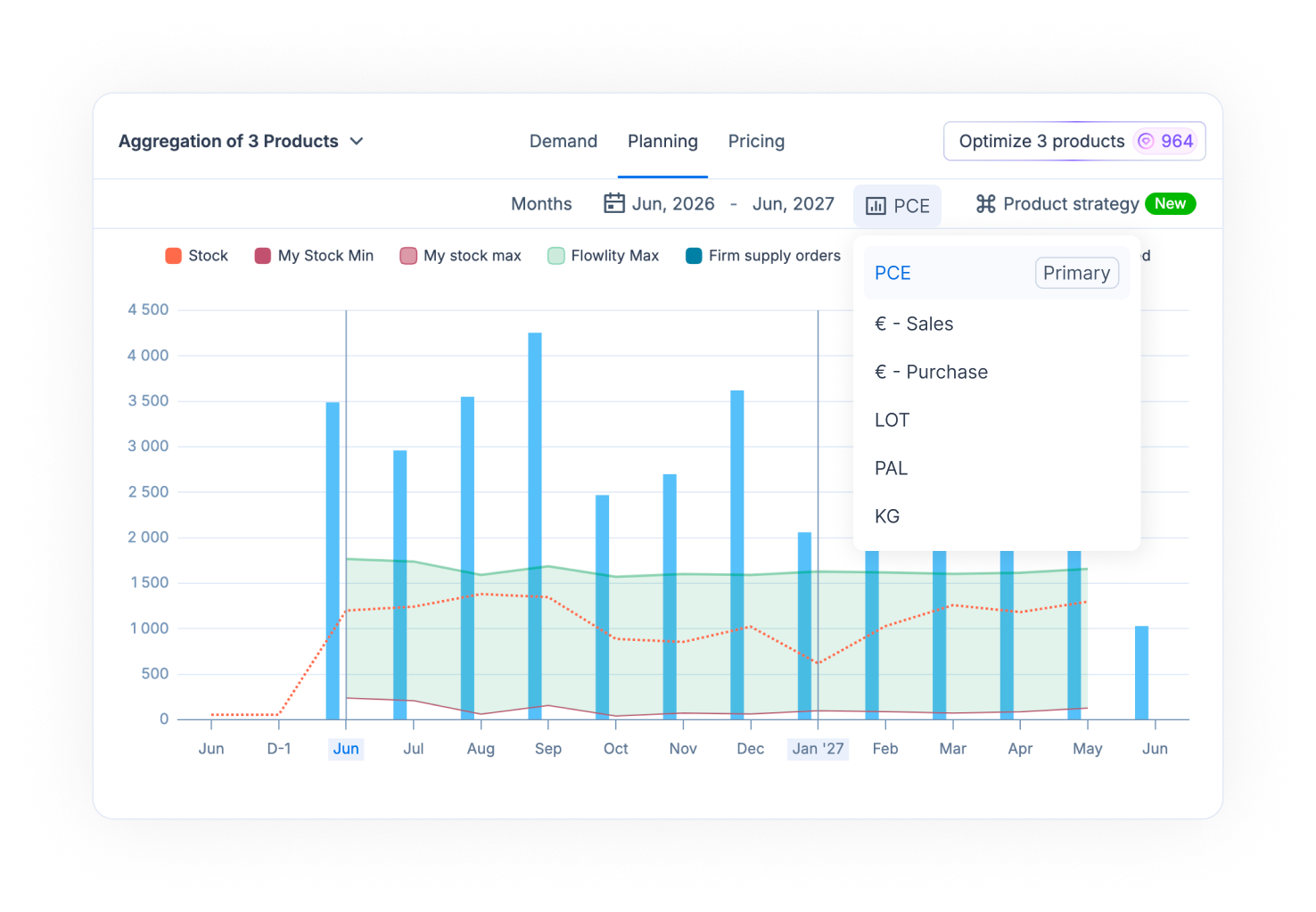
**Demand and Planning aggregated views**: switch the unit of the aggregated list and of the per-product detail grid, for example to rearrange truck loads in pallets while keeping sight of each product.
**Order lines**: a new unit dropdown on order lines lets you read and check quantities in any unit configured for the product.
**KPIs**: when creating a KPI, you can now pick the unit for each column separately.
**Tactical**: the chart unit dropdown now supports aggregation in any of your product units.
*If you'd like to configure additional units for your products, please reach out to your Customer Success or Account Manager.*
#### 🆕 Other updates
**Demand and Planning**
* Default views now open with a curated set of columns and filters, giving you a cleaner starting point.
* Stock locations without any stock data are no longer displayed in the Planning view.
* Multi-site selection is now available in the Tag view.
**Orders**
* The destination site is now displayed in the order details panel.
* Order lines can now be sorted by tag category, making large orders much easier to review.
**Automations**
* You can now apply Expert Models in mass via automations.
**General**
* Product references can now be copied in one click.
* The app now displays a notice when a new version is available, so you are never stuck on an outdated version.
**Bug fixes**
* The final forecast now updates immediately in the Planning tab after changing the forecast source.
* Lead time changes made from the settings panel are now correctly taken into account by Optimize.
* Sum and average of selected cells now work in the Planning aggregated view.
* Validating all order lines now also validates the order itself.
{% endupdate %}
{% update date="2026-05-27" %}
## 🌐 Multi-site demand, planning and pricing: work across all your sites
This release rounds out Flowlity's multi-site experience by extending it to three more modules.
**Multi-site Demand Forecast**: the Demand Forecast module now operates across multiple sites. You can review, challenge and edit forecasts for all your sites in a single workspace, with each product clearly tied to its site.
**Multi-site Planning**: the Planning module also extends to cross-site work. You can monitor inventory, optimize replenishment and review supply across all your sites from a single workspace.
**Pricing, full multi-site support**: the Pricing module now works end-to-end across sites. List views, KPIs, simulations, and exports all account for the site dimension, keeping pricing decisions consistent for companies running multiple warehouses or banners.
We've also polished a number of multi-site UX details. Products now display **which site they belong to** when several sites are selected, and the **"Select all"** action is shown only when a single site is active, removing ambiguity when working across multiple sites.
## 🤖 Automations: new bulk actions
You can now apply these new bulk actions to a selection of products:
* **Update lead times** — set a new lead time for many products in just a few clicks.
* **Manage tags** — add, assign or unassign tags across multiple products in one go.
* **Adjust similar products settings** — update the "current product ratio" and "end date" for several products at once, right from the "similar products" section of the Inventory strategy panel.
* **Clear "my forecast"** — remove your manual forecast for a group of products in a single action.
These updates make large-scale rollouts and everyday maintenance much faster when you're managing a large product catalogue.
#### 🆕 Other Updates
**Demand**
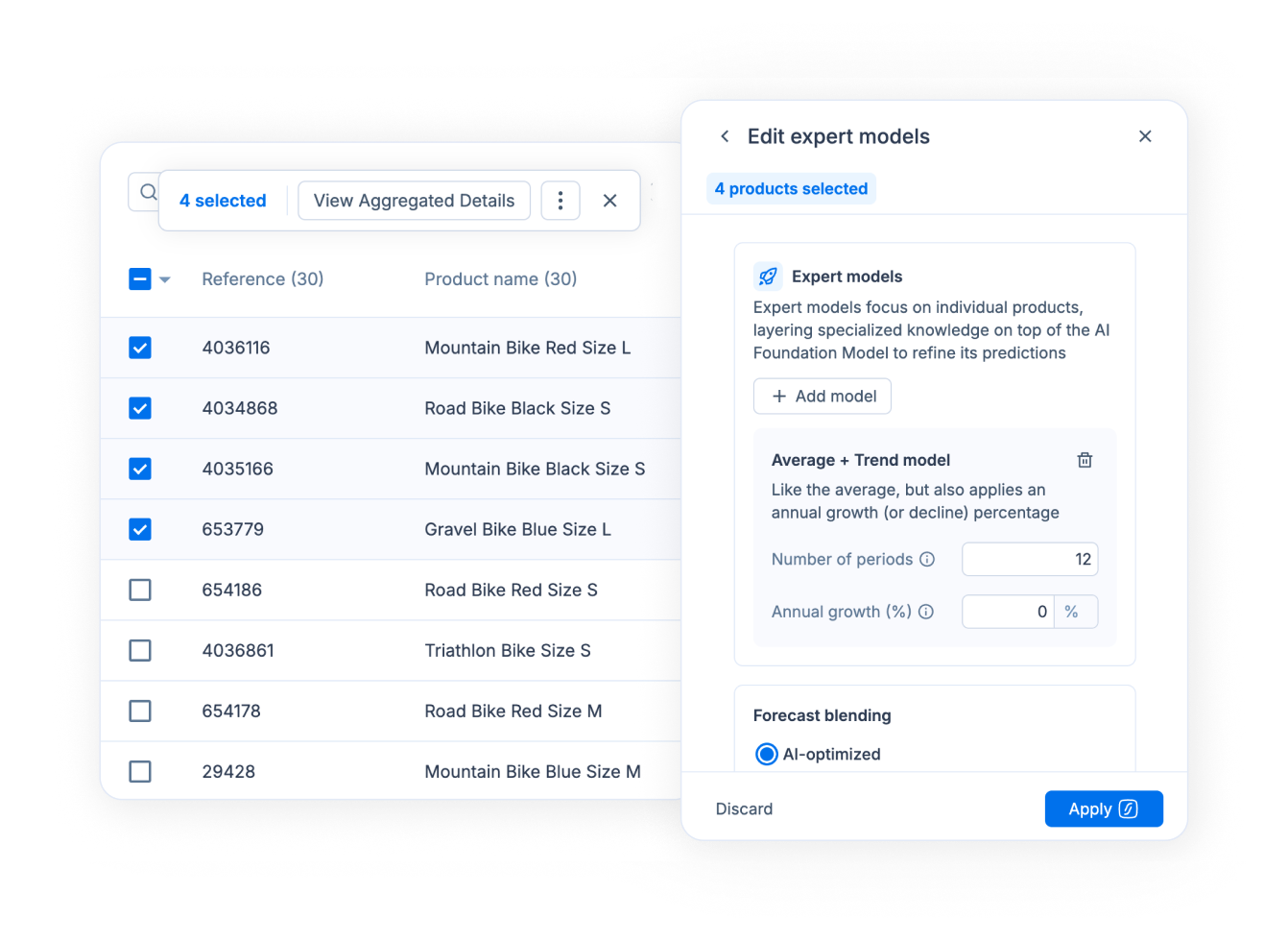
* **Expert Models** can now be applied to **multiple products or tags at once**, accelerating the rollout of forecasting strategies across large catalogues.
**Orders**
* **Ctrl+click on a component** now opens its Planning view in a new tab, making cross-product navigation faster.
* New **"Select all"** option in the Sites dropdown of the Orders module.
**Planning**
* Fixed delivery days are now displayed in the **Planning Constraints tab**.
* New **14-day period filter** on stock alerts.
* New columns available in product views: **Main supplier** and **Stock Valorisation Price**.
**Pricing and promotions**
* Promotions **XLSX export** has been adjusted for clearer reporting.
* Promo rate can now be set **at file import**, removing the need to update each promotion manually.
**Documentation**
* A new **public roadmap** page is now available at [docs.flowlity.com/roadmap](https://docs.flowlity.com/roadmap), plus **Spanish and German** translations of the GitBook docs.
**Bug fixes**
* Planning view now correctly displays the full grid in multi-site mode.
* Planning line chart can now be downloaded in combined view.
* Fixed order line value display and sorting issues.
* An order can no longer be exported twice.
* Long tag names no longer break the tag dropdown display.
* Supplier MOQ can now be set directly from the app.
* Excel export filename now correctly reflects multiple sites.
{% endupdate %}
{% update date="2026-05-07" %}
## 🪩 Forecast Studio: take control of your forecasts, product by product
We're introducing the Forecast Studio — a brand-new way to interact with Flowlity's forecasting engine.
It gives you a dedicated workspace to build, test, and adjust forecasts at the product level, combining Flowlity's global intelligence with your local expertise.
### How it works
Forecast Studio is built on two complementary layers:
* **Foundation Model** — A global model that learns from all your data to capture broad patterns (seasonality, trends, correlations, external signals…).
* **Expert Models** — Product-level models you can apply to refine the forecast based on your operational knowledge.
👉 In short: Flowlity provides the baseline, you stay in control of the final result.
### What you can do
* **Tailor forecasts to each product**: Apply one or more Expert Models (Seasonal, Trend, Intermittent, etc.) on top of the Foundation forecast and instantly see the result.
* **Recompute forecasts on demand**: Trigger a new forecast for a product (or selection) anytime — no need to wait for the weekly run.
* **Simulate and compare scenarios**: Switch models or adjust parameters and see the impact instantly to make better decisions, faster.
### Available Expert Models
* **Average of recent periods** — calculate the average demand on a selected period
* **Average + Trend** — add growth or decline percentage to the average of recent periods
* **Seasonality** — replicate a past period into the future
* **Manual Seasonality** — create a seasonality effect with or without an annual trend, based on the average demand of a selected period
* **Intermittent** — handle sporadic demand by computing the average demand over the probability of a demand occurrence
* **Auto Model** — automatically detects trend & seasonality
* **Launch Model** — designed for new products: learns the launch pattern of similar products, either identified by Flowlity or manually selected
### New: simulation credits
Forecast simulations are now governed by a company-level credit system, ensuring fair usage and predictable costs.
{% hint style="info" %}
Forecast Studio is a significant change for users. Please reach out to your Customer Success or Account Manager with any questions or feedback.
{% endhint %}
## 📦 Multi-Unit Display: see your data in any unit, anywhere in the app
Flowlity now supports displaying multiple units of measure simultaneously across the app. Pieces, purchase value, sales value, or any other configured unit can be shown side by side on the same screen.
* **Hover tooltips** on the Product list, instantly showing values converted to alternate units.
* **Sales price section** in the product drawer, alongside the existing purchase price block.
* **Settings**: secondary unit dropdown now supports both Purchase and Sales currency options.
{% hint style="info" %}
Reach out to your Customer Success or Account Manager if you'd like help configuring secondary units for your sites.
{% endhint %}
#### 🆕 Other Updates
**Orders & Supply Agreements**
* New "Due today" filter on the ordering date.
* Filter supply orders by a list of product references: paste a list and zoom in on the products you care about.
* Supply agreement constraints (price, MOQ, etc.) now displayed directly in-app.
* Order views refresh automatically when switching sites.
**Similarity Agent**
* New option to include or exclude similar products from the agent's scope.
**Bug Fixes**
* Fixed deleted views remaining visible until a manual refresh.
* Fixed missing KPIs on order lines when a supply agreement was created manually.
* Fixed a background job failure affecting forecast event KPIs.
* Forecast event updates no longer block the UI.
{% endupdate %}
{% update date="2026-04-15" %}
## ⚡ Bulk & Mass Updates across the App
This release focuses on expanding Flowlity's capabilities to update parameters in bulk — making it faster and more scalable for planners managing large product catalogs.
You can now:
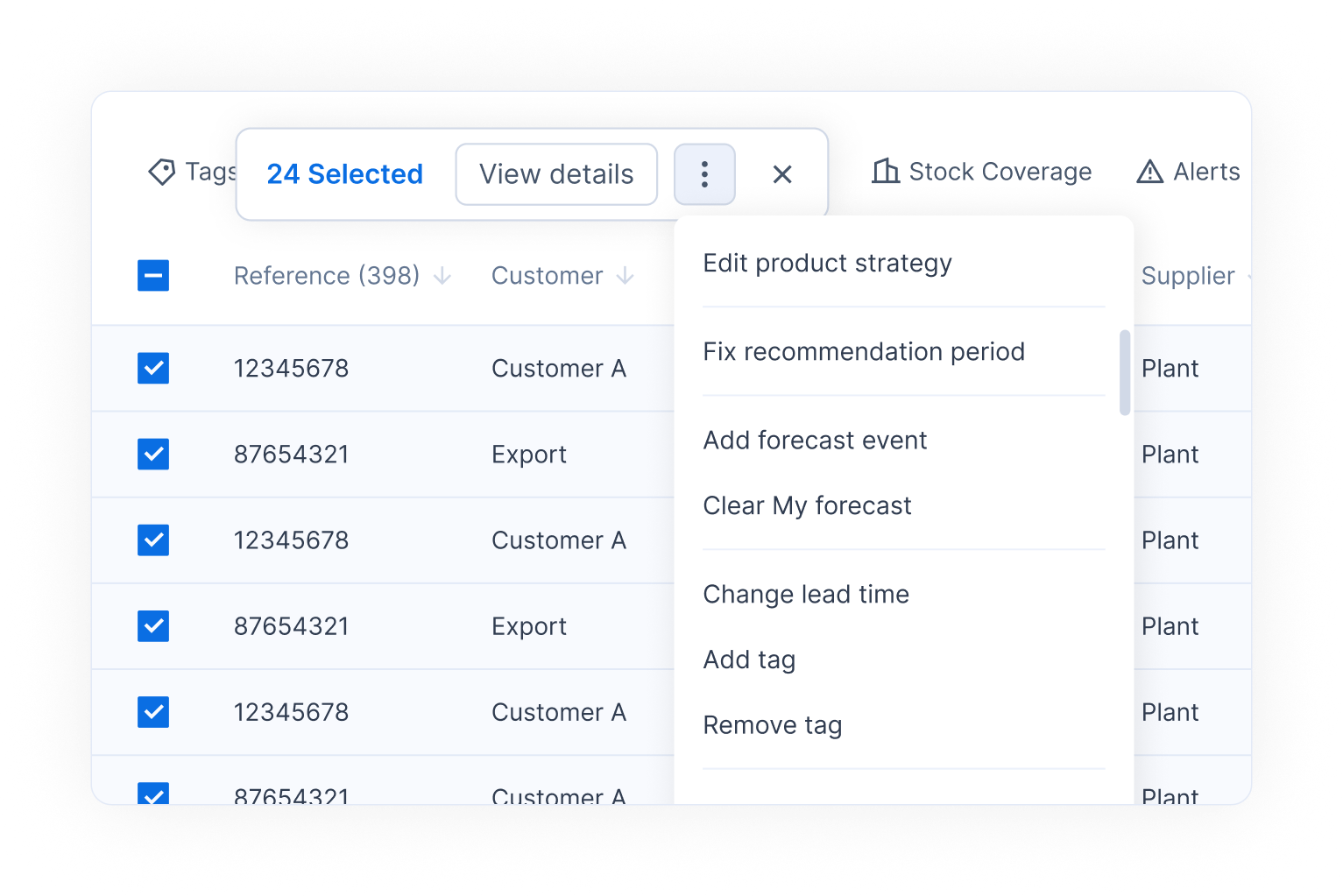
* **Assign or reassign tags** to multiple products at once from the product list — making it easy to group products or reorganize planner scopes in a few clicks.
* **Edit lead times in bulk** directly from the product list, without having to open each product individually.
* **Update Similar Product fields in bulk** — set the current product ratio and end date of similar product usage across multiple products at once, directly from the product list.
* **Optimize multiple products at once** from the aggregated Planning view and tag view with the new **"Optimize all"** button.
* **Save all modifications at once** in the aggregated Planning view with the new **"Save all"** button.
* **Remove all MyForecast entries** for multiple products in a single action — useful when switching back to Flowlity's AI forecast after a period of manual forecasting.
#### 🆕 Other Updates
* **"Past" filter for ordering date in Orders**: A new "In the past" period option has been added to the ordering date filter in the Orders module.
* Fixed an issue where the stock coverage line was not displaying in the planning combined view, even when selected.
{% endupdate %}
{% update date="2026-04-06" %}
## New Modules: Promotions & Pricing + Pricing Research Agent
#### 🏷️ New Module: Promotions — Plan, simulate, and optimize your promotional campaigns
A brand-new **Promotions module** is now available, giving you a dedicated space to plan, monitor, and optimize your promotional campaigns — all from within Flowlity.
**Create promotions** by defining a name, date range, and product scope (select individually or filter by tags and suppliers). Once created, Flowlity's AI automatically computes the **optimal discount per product** that maximizes your revenue or profit, powered by our price elasticity models.
**Track performance of your promotions** with built-in KPIs at the top of the page: total Products in promotion, Margin (actual vs. forecasted), Profit, and Sales — all available with or without transport costs. Three status tabs — **Planned**, **Confirmed**, and **Past** — let you organize your campaigns across their lifecycle.
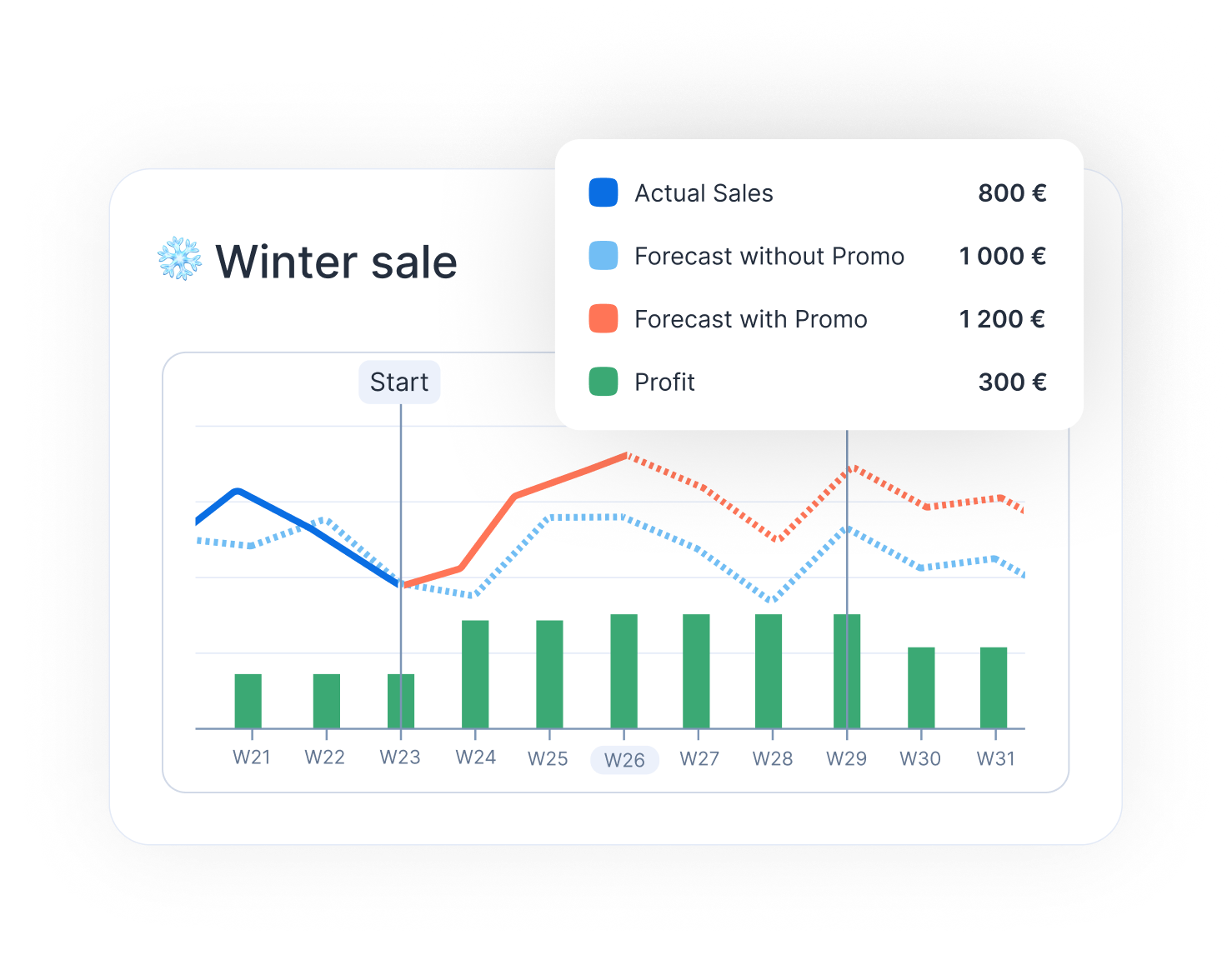
**Simulate and fine-tune** from the promotion detail view. A chart visualizes Sales, Profit, and Simulation curves with clear start/end markers, while the product table lets you edit discounts per product and immediately see the impact on demand and profitability. A **Price Position** indicator (Optimal / Overpriced) helps you identify where to act, and the **"Configure with AI"** button re-runs the revenue maximization algorithm on demand.
{% hint style="info" %}
If you are interested in this module, please reach out to your Customer Success or Account Manager.
{% endhint %}
#### 💰 New Module: Pricing — Full visibility on your pricing performance
The new **Pricing module** gives you a consolidated view of your product catalog through a financial lens, helping you understand how pricing and promotions impact your sales, profit, and margins.
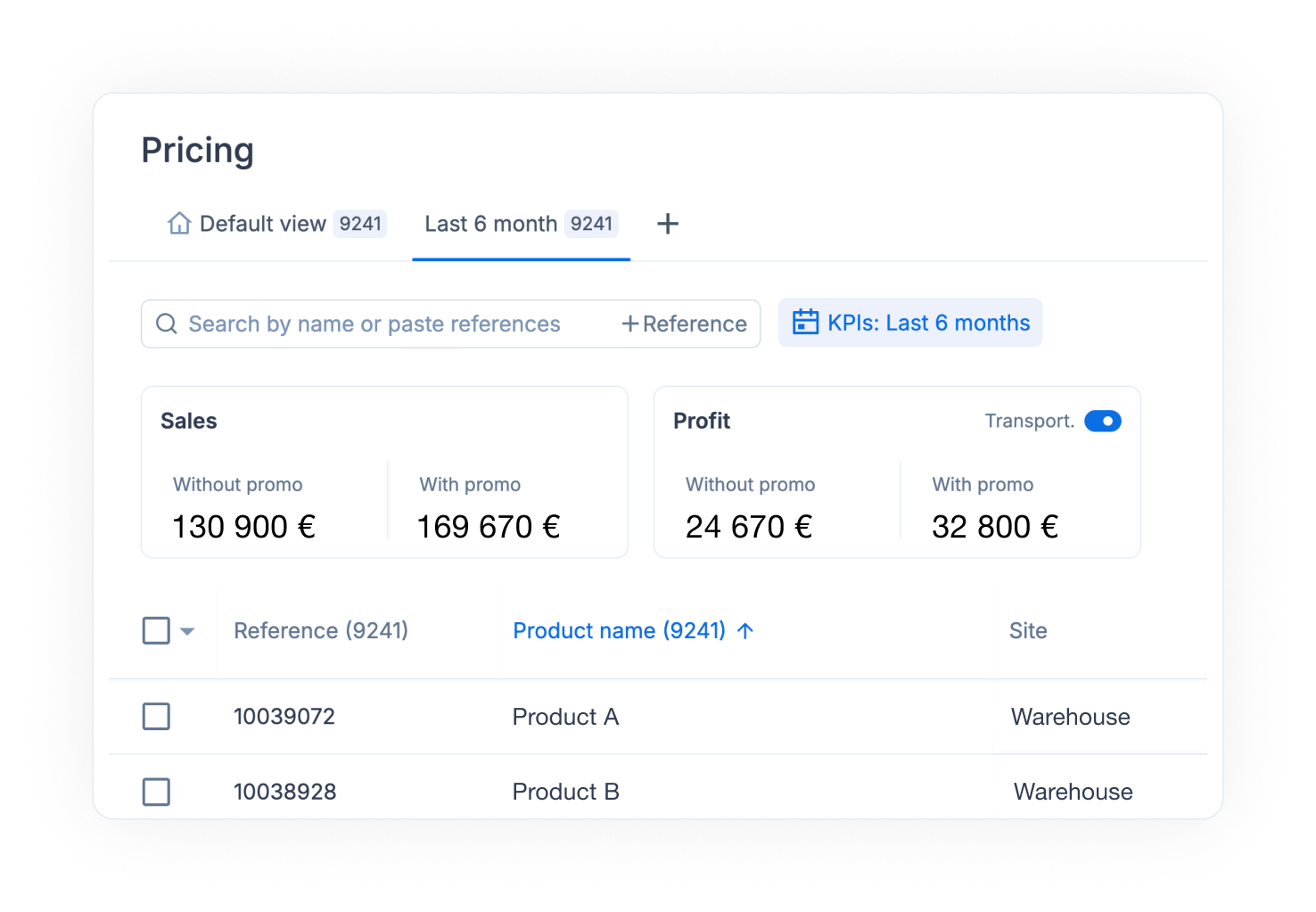
The **list view** displays aggregated KPIs at the top of the page — **Sales**, **Profit**, and **Margin** — each split between *with promo* and *without promo* values. A transport cost toggle lets you include or exclude logistics costs from the calculation. Below, a sortable product table shows each product's reference, name, site, inventory level, final forecast, and past demand, with fully customizable columns and views.
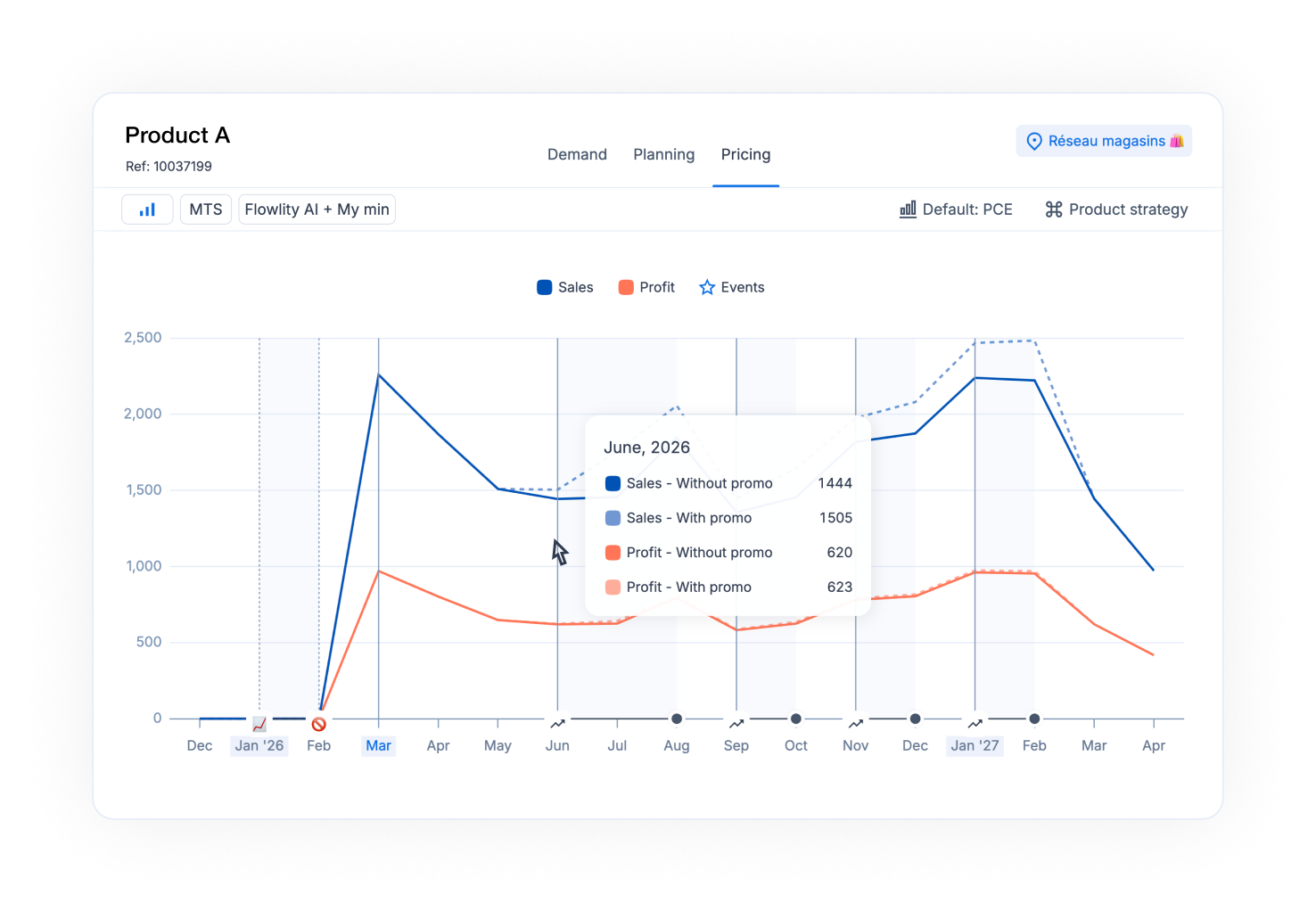
From the **product detail view**, a new **Pricing tab** (alongside Demand and Planning) shows a time-series chart of Sales and Profit with event markers, plus a detailed data table breaking down Price, Original Price, Discount %, Sales, Profit, and Margin — all compared *with* and *without* promotions, period by period.
A direct link to the **Pricing Research Agent** is available from the Pricing page, making it easy to launch a competitive analysis for any product.
{% hint style="info" %}
If you are interested in this module, please reach out to your Customer Success or Account Manager.
{% endhint %}
#### 🤖 Pricing Research Agent — AI-powered competitive intelligence
The **Pricing Research Agent**, available from the Agents module, lets you run on-demand competitive pricing analyses. Select a product, provide its current price and description, and optionally focus on a specific competitor. The agent scans Google Shopping for competitor prices, evaluates your market positioning, and returns a detailed report with:
* **Executive Summary** — your price vs. market median, price range, and number of competitors analyzed.
* **Strategic Insights & Recommendations** — AI-generated pricing recommendations based on competitive intelligence and demand patterns.
Use it to validate your pricing strategy, prepare a promotion, or identify products where you may be leaving margin on the table.
#### 🆕 Other Updates
* **Forecast algorithms**: Forecasts are now trained on demand data **cleaned of price and promotion effects**, normalized to the last observed base price. This produces more accurate baseline forecasts and enables Flowlity to properly measure the true uplift of promotions.
* Some smaller bug fixes were pushed.
{% endupdate %}
{% update date="2026-03-25" %}
## Dashboard: Major Overhaul
The Dashboard module has received a significant series of improvements in this release.
**KPI display by quantity** — KPI tiles can now be toggled between value and quantity display, bringing consistency with the line charts that already supported this switch.
**Export Dashboard KPIs** — Chart data can now be exported in CSV, XLSX, or TSV format directly from the dashboard, making it easier to share KPI snapshots and perform further analysis externally.
**KPI view on the Orders page** — The Dashboard now includes a dedicated view for supply orders and order lines, giving the same high-level KPI visibility already available on Demand and Planning pages.
**✨ Workflow Views section** — A new section on the dashboard displays your custom Demand, Planning and Order views, grouped by name with per-site product counts, so you can quickly assess your entire workflow at a glance.
**✨ Multi-site chart breakdown** — When multiple sites are selected, KPI charts now break down data per site — with stacked areas for inventory, demand, and supply metrics, and overlaid curves for stock coverage and zero-stock KPIs.
**Multi-tag intersection filtering** — The Dashboard now supports filtering by multiple tags simultaneously using intersection logic, enabling more precise visibility over specific product segments.
**Extended chart horizon** — Dashboard charts can now display data up to 12 months ahead (previously limited to 6), with a flexible horizon selector.
**Persistent settings** — Dashboard preferences (horizon, granularity, tags, KPI display mode, hidden views, etc.) are now saved and restored automatically across sessions and devices.
#### KPIs: New Stock Coverage Formula
The stock coverage metric has been updated with a more accurate calculation. Instead of dividing current stock by the average forecast, coverage is now computed by **accumulating the forecasted demand day by day** to determine how many days the current stock will last before a stockout. This makes the KPI truly answer "when will I run out of stock?", which is significantly more useful for operational decision-making.
#### Other improvements
* **Orders**: The order detail view now includes a secondary unit quantity column, making it easy to read quantities in both primary and secondary units side by side.
* **Supply Orders**: A new alert type highlights order lines that will resolve a current stockout situation, helping teams prioritize replenishment actions.
* **Product list**: Views in Demand and Planning modules can now be sorted by supplier or tag category, enabling faster navigation across large product scopes.
* **Planning**: A Firm Demand row can now be optionally displayed in the Planning table (configurable via table settings), reducing the need to switch back and forth between Planning and Demand tabs.
* **Inventory Strategy**: The service level now supports values up to 99.9% (previously capped at 99%), unlocking finer safety stock configuration for high-criticality products.
* **Flowlity Lite**: The Lite upload interface now supports promotions and external forecasts in addition to sales data.
* **Supply Agreements**: A new Order Placement Deadline column is available in the Supply Agreements view, helping prioritize which agreements need to be acted on first.
{% endupdate %}
{% update date="2026-03-10" %}
## Orders module: Custom Views & Multi-Site Filter on Supply Orders
You can now create and save **custom views** in the Supply Orders module, just like in other modules. Filter, sort, and organize your order lines the way you need — then save the view for quick access later.
In addition, a new **multi-site filter** is now available on supply orders. You can filter orders by site type (e.g. Warehouse, Factory) to focus on the locations that matter most to you.
#### Tactical: Downloadable Results Table
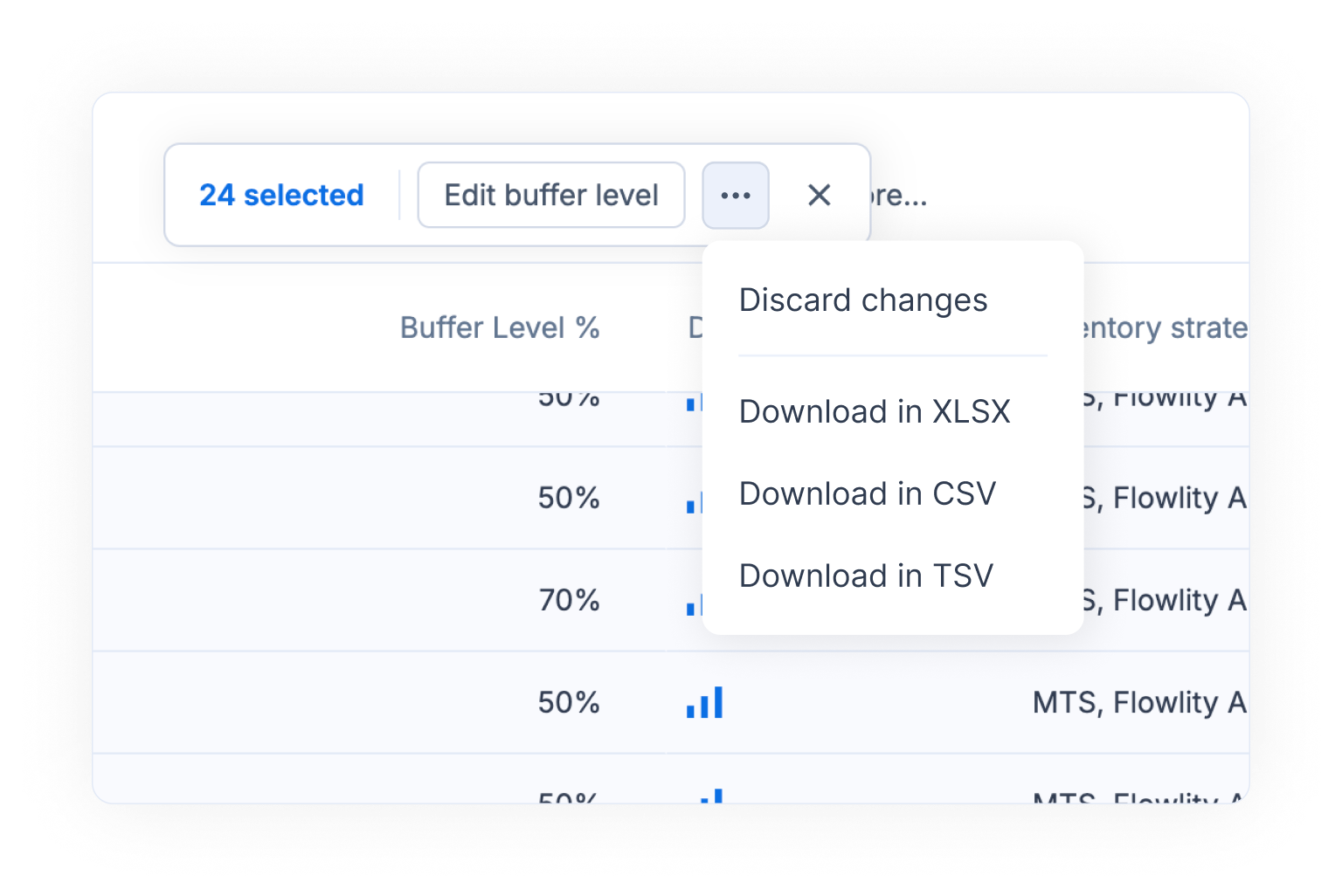
The results table in the Tactical module can now be **downloaded** in XLSX, CSV, or TSV format. Select the rows you need, open the bulk action menu, and choose your preferred export format.
#### Planning & Demand: Short-Term KPIs & Tag-Based Dashboard
Two new improvements to help you monitor your supply chain performance more precisely:
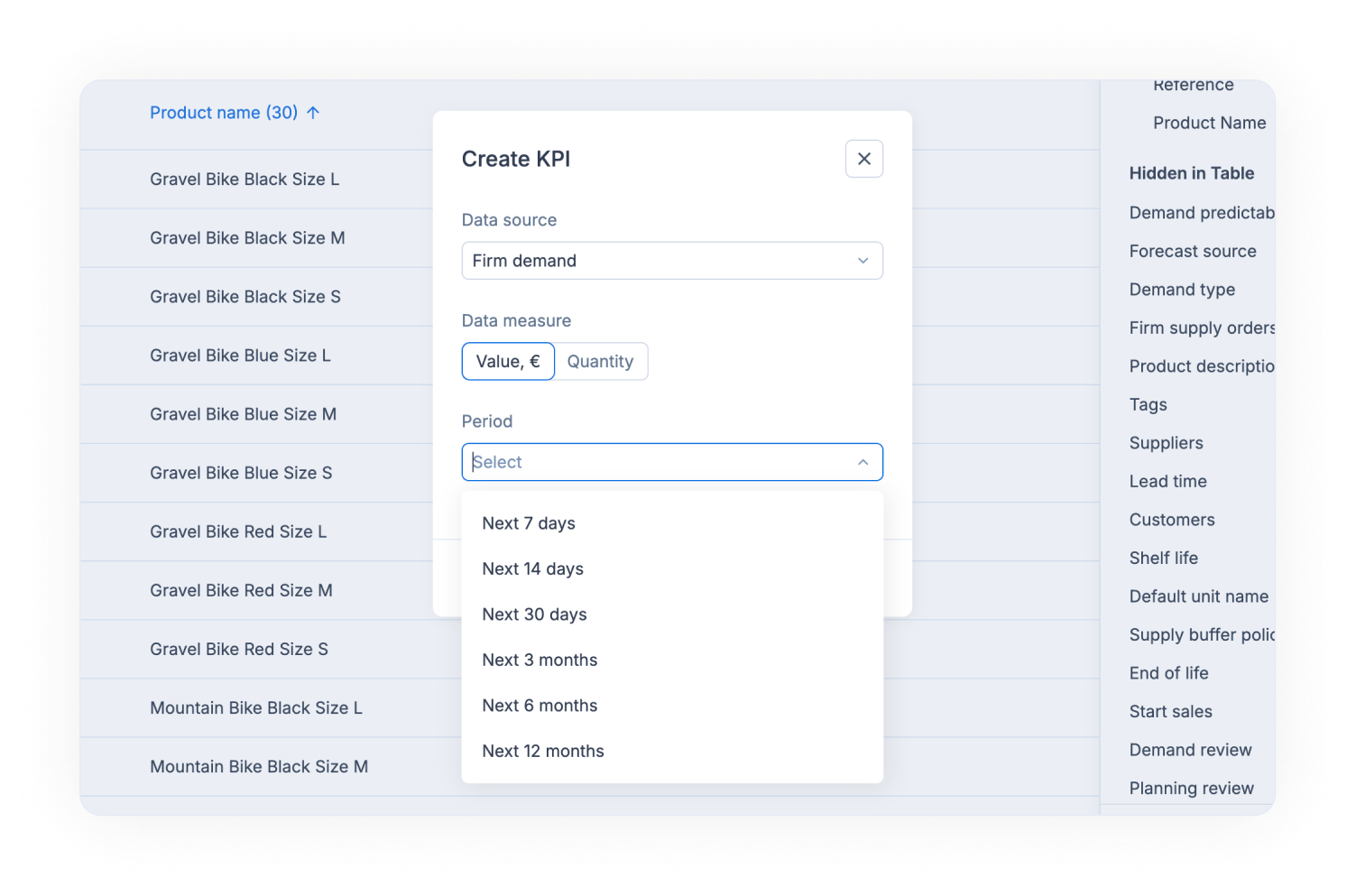
**Short-term KPI periods** — When creating a KPI, you can now select shorter time horizons such as Next 7 days, Next 14 days, or Next 30 days, in addition to the existing monthly periods. This lets you track near-term performance with greater granularity.
**Tag-based KPI dashboard** — KPIs can now be displayed by tag category, giving you an aggregated view of inventory levels, year-over-year trends, and other metrics grouped by your own classification tags.
#### Other updates
* **Supply agreement status updates** — The status of supply agreements is now automatically updated based on placement deadlines and order validation.
* **Bug fixes** — Various stability and performance improvements across the platform.
{% endupdate %}
{% update date="2026-02-16" %}
## Set a minimum floor for your Stock Min — in coverage or quantity
You can now prevent your Stock Min from dropping below a threshold you define — whether in quantity or days of coverage.
This gives you greater control over inventory risk while still benefiting from Flowlity's dynamic stock recommendations.
{% hint style="info" %}
Example: Let Flowlity calculate your Stock Min, but guarantee it never goes below 14 days of coverage to protect service levels.
{% endhint %}
#### Order lines new options
New display and export options are now available in the Supply Orders module.
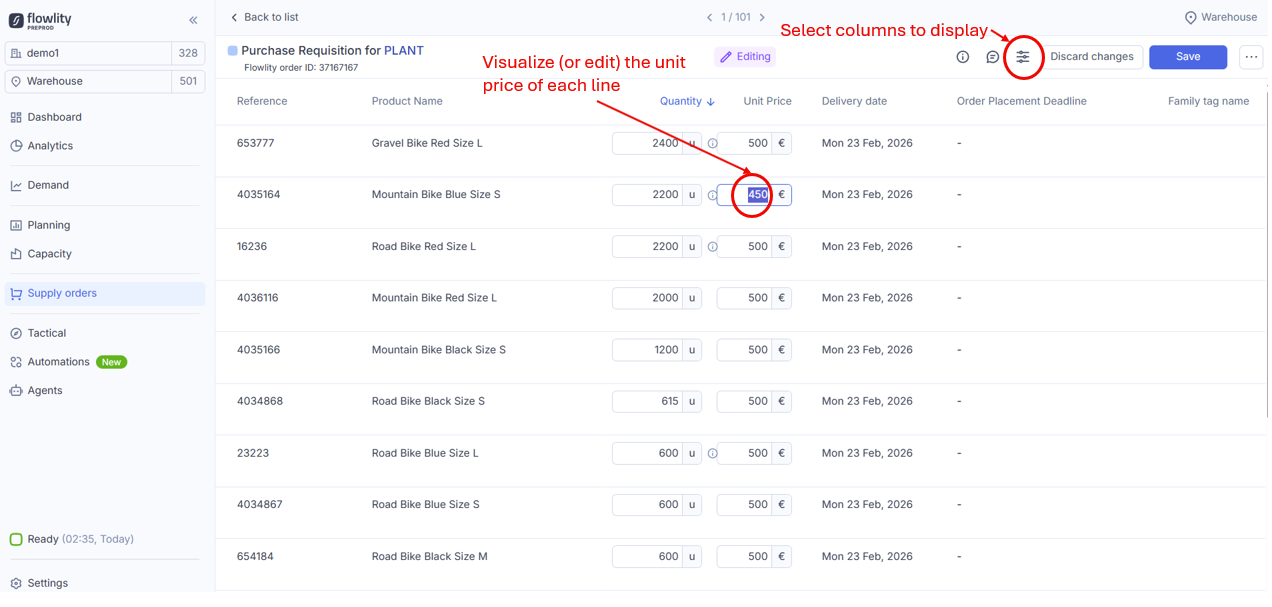
It is now possible to display the **Unit price** both in the detailed view of your orders and in the order lines list. This value is also editable. By default, the selected price will always be the one provided by the source data. However, this feature gives you the flexibility to adjust the valuation of specific order lines — for example, in the case of a one-off agreement with a supplier.
In addition, when downloading supply orders (XLSX, CSV, or TSV), it is now possible to export unit prices, as well as user comments at the order line level.
{% hint style="info" %}
To avoid disrupting your existing processes, these new columns have not been added to your exports by default. Reach out if you would like to enable them.
{% endhint %}
#### Other updates
* **Edition mode removed from Tactical module** — Mass updates to stock strategies can be performed directly from the Product List in the Demand and Planning modules. Need help with mass strategy updates? Flowlity Support is here to assist.
{% endupdate %}
{% update date="2026-01-26" %}
## Additional options for supplier management
**Emergency supplier**
A new emergency supplier feature is now available!
As a standard, Flowlity builds your supply plan selecting the configured default supplier or by applying supplier quotas when they exist. In some situations, the lead time of these suppliers may result in temporary stockouts, even though a faster alternative supplier is available.
The emergency supplier feature is designed to identify such situations and automatically switch to the supplier that can prevent the stockout. If several suppliers have a short enough lead time, Flowlity will select the least expensive.
{% hint style="info" %}
This new capability is optional and is not enabled by default. Feel free to contact us if you would like to discuss its activation!
{% endhint %}
**Managing constraints directly in the application**
Supplier constraints can once again be modified directly from the application. To do so, simply open the "Product details" panel, click on "Edit", and make the desired changes in the "Suppliers" tab.
{% hint style="warning" %}
When supplier constraints are provided through automated data pipeline, these values remain the master data and will override any manual changes.
{% endhint %}
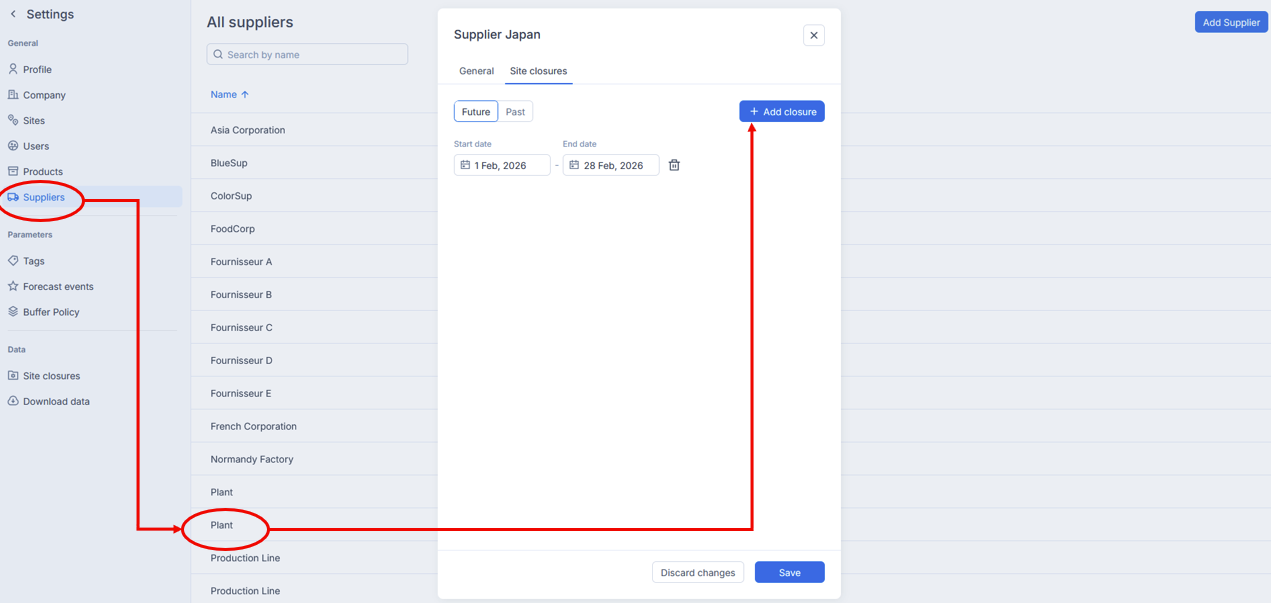
**Adding supplier closure events**
Until now, supplier closures had been managed exclusively through automated data feeds, usually based on files that are fully reloaded only a few times per year.
To make these updates more user-friendly, it is now possible to configure supplier closures directly in the application. This option is available in the supplier configuration menu.
Closures can also be visualized in the Planning module:
* By hovering over the cells corresponding to the relevant weeks and suppliers
* Within the "Inventory" tab in the "Product strategy" panel
#### Other updates
* In the Tactical module, charts and tables can now be displayed both in quantities and in value.
* The Product name field is no longer mandatory when loading Demand data into Flowlity Lite.
* An error affecting the Planning view in combined aggregated mode has been fixed.
{% endupdate %}
{% endupdates %}