> For the complete documentation index, see [llms.txt](https://docs.flowlity.com/llms.txt). Markdown versions of documentation pages are available by appending `.md` to page URLs; this page is available as [Markdown](https://docs.flowlity.com/concepts/concepts/product-similarities.md).
# Product similarities
How linking similar products passes demand history from one product to another.
A forecast is only as good as the history behind it. When a product replaces another one, its own history is short, while the old product's history is still relevant. **Similar products** let you copy the demand history of a source product into the history of the target product, so the forecast starts from real data.
### When to use it
* **Product replacements**: a new version, color or yearly edition takes over from an older product. This is the main use.
* **Consolidations**: two products are replaced by one. Link both, each with its own ratio.
* **Phase-ins of brand-new products**: use the **Launch model** expert model instead. It learns the launch pattern of similar products without copying their whole history. See *How to apply an expert model* in [Demand](/demand-management/demand.md).
### How the link works
When you link a source product to a target product, you set:
* **Ratio**: the share of the source product's demand copied into the target. Two products merged into one could each have 50%.
* **Current product**: the share of the target product's own past demand that is kept, 100% by default. Set 0% to use only the copied history.
* **End date of similar products usage** (optional): the link stops at this date, for example once the new product has enough history of its own.
* **Source customer** and **Target customer** (optional, on sites with the customer axis): which customer's demand is copied to which customer.
**Example.** A 2026 edition replaces the 2025 edition, which sold 200 units a month. You link the 2025 edition to the 2026 edition with a **Ratio** of 100%. The 2026 edition now shows 200 units a month of past demand, and its forecast starts from that level instead of from zero.
The demand history changes immediately. The forecast follows at the next forecast computation, or as soon as you click **Compute forecast** in Demand.
### Where you link products
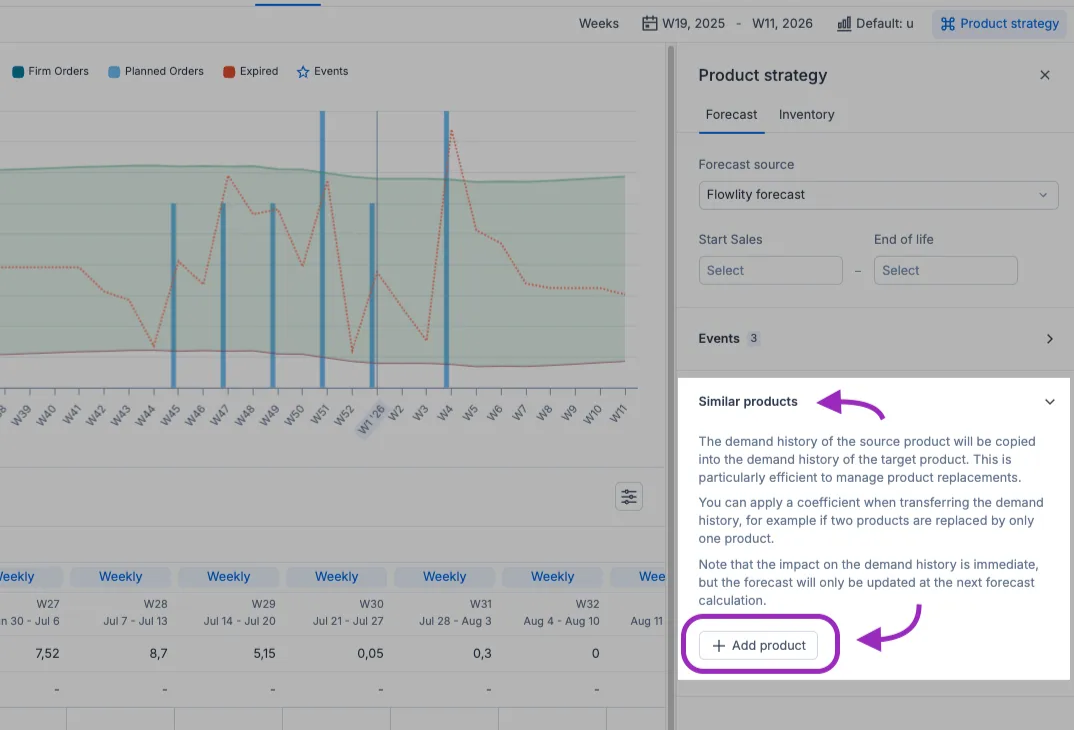
On one product, open the product detail in Demand, click **Product strategy**, then the **Forecast** tab and the **Similar products** section. **Add product** opens the **Add similar products** window, with the products **Suggested by Flowlity** at the top. Set the fields above, then click **Apply**.
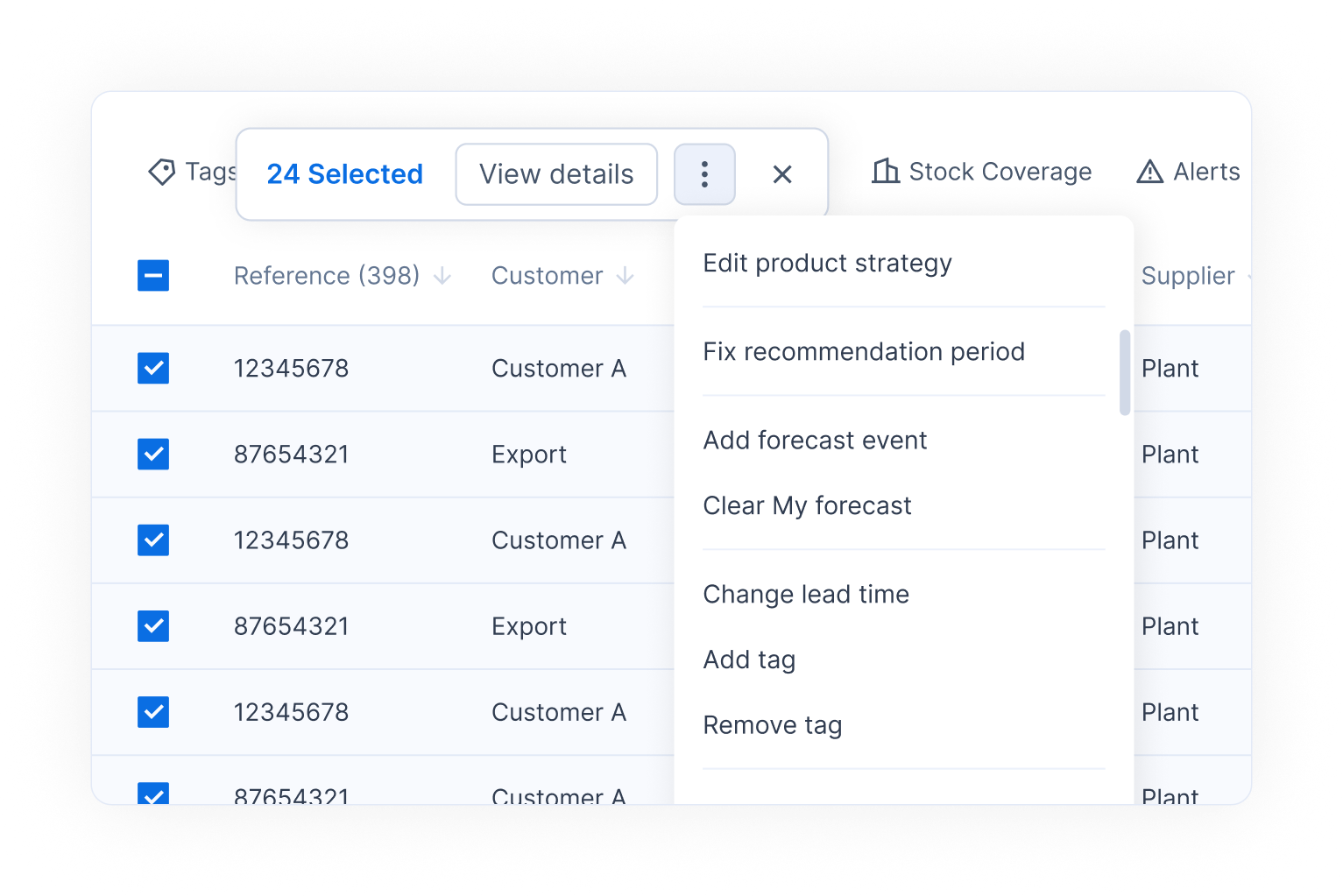
On many products at once, select them in the Demand list, click **⋮** > **Edit product strategy**, then **Edit similar products** to change the current product ratio or the end date. The **Change similar products** action of [Automations](/ai-and-automations/automations.md) does the same on a schedule.
### Suggestions from the Product similarity agent
Every week, the **Product similarity agent** looks for the products closest to each item in your catalog. It compares:
* **Categorical attributes**, such as tag values.
* **Text**, such as the product name and description, by meaning and not only by exact words.
* **Numbers**, such as the average price. A price penalty threshold lowers the score of products whose price is too different.
It suggests up to five products per item, each with a similarity percentage. Only suggestions above 30% are shown. The agent can also skip products that already have a similar product linked by hand (**Filter products with existing similar link**).
### Seeing the effect
* In the Demand table, turn on **Similar products past demand** in **Table settings** to see the copied history next to **Cleaned past demand** and **Raw past demand**.
* In the Demand list, use **More...** > **Similar products** to find the products that have a link.
* In Planning, the **Similar products stock** series shows the stock left on the old product, so you do not over-order the new one while old stock remains.
### Related pages
* [Demand forecasting explained](/concepts/concepts/demand-forecasting.md)
* [Forecast events and demand adjustments](/concepts/concepts/forecast-events.md)
* [Demand](/demand-management/demand.md)
* [Planning](/inventory-and-supply/planning.md)
* [Agents](/ai-and-automations/agents.md)
* [Diagnose forecast errors](/demand-management/demand/diagnose-forecast-errors.md)